
Human approval can make an AI workflow safer. It can also make automation so slow that people stop using it.
The useful design question is not whether a person should review AI output. It is where a wrong decision would create enough cost, risk, or irreversible change to justify interrupting the workflow.
For most small teams, the answer is selective approval: let low-risk, reversible work move automatically and put a human checkpoint in front of high-impact actions.
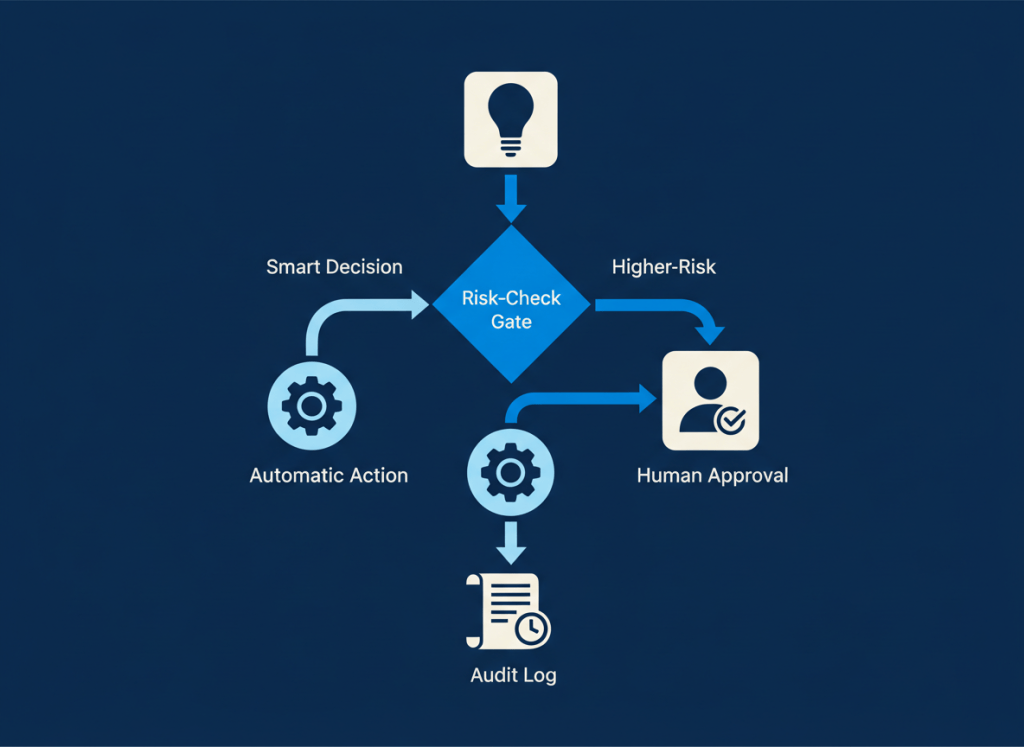
Use risk, not AI, to decide where approval belongs
An AI model can summarize a document, classify a request, draft an email, recommend an action, or trigger a connected tool. Those steps do not all deserve the same level of oversight.
A practical approval gate asks three questions: how costly is a wrong action, how easy is it to reverse, and who is affected if it fails?
| Risk pattern | Default approach |
|---|---|
| Low impact + easy to reverse | Automate |
| Moderate impact or uncertain confidence | Automate with monitoring or exception review |
| High impact, external, sensitive, or hard to reverse | Require human approval |
This keeps human attention concentrated where it changes the outcome instead of turning every AI-assisted step into another inbox.
1. External messages that can create commitments
Drafting an external email is usually low risk because a person can edit it before sending. Automatically sending a message can be very different.
Put approval before messages that confirm pricing, delivery dates, contractual expectations, policy positions, customer remedies, or other commitments. Routine notifications built from verified structured data may not need the same gate.
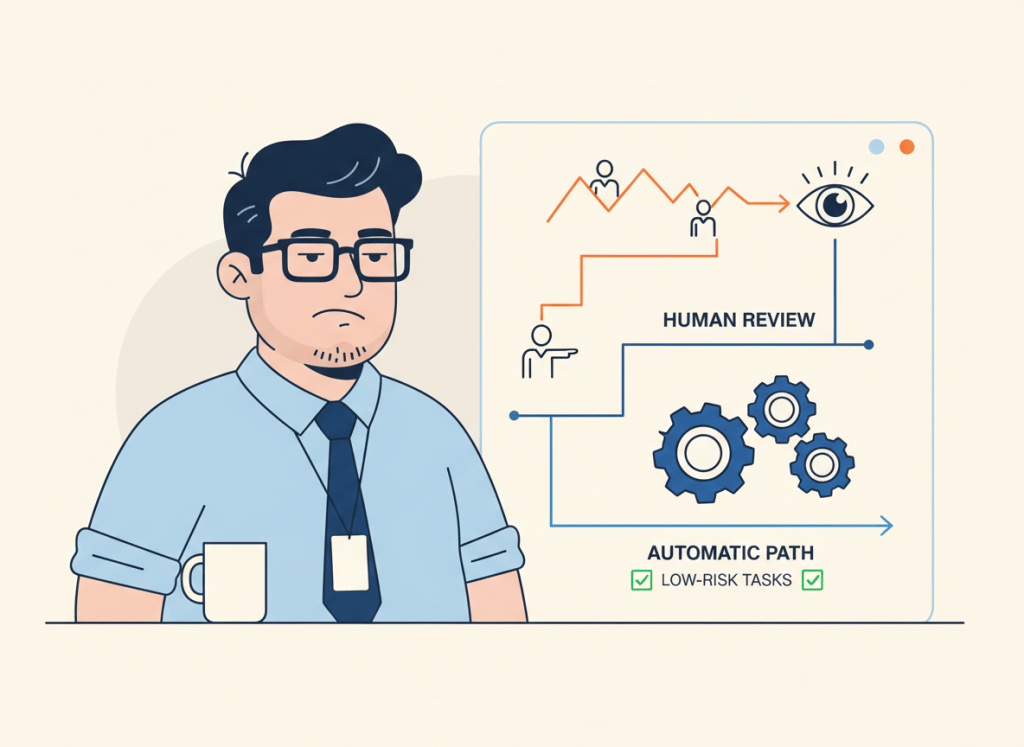
Bob’s note: automate the draft, not the irreversible mistake.
2. Payments, purchases, and contractual changes
AI can help extract invoice data, categorize expenses, prepare purchase requests, or flag unusual terms. Moving money or changing a contractual obligation is a different class of action.
Use automation to prepare the decision and gather context. Keep a person responsible for approving the transaction or binding change when the financial consequence is meaningful.
3. Deleting or materially changing customer data
Classification and enrichment can often run automatically. Deleting records, merging identities, overwriting important fields, or making changes that affect downstream customer workflows deserves more caution.
Approval is especially useful when recovery is difficult or when several systems will inherit the change.
4. Permission and access changes
An AI workflow may identify that someone appears to need access to a document, project, system, or dataset. That does not mean it should always grant the access itself.
Changes involving sensitive systems, privileged roles, confidential information, or broad workspace access should normally pass through an authorized person or an established access-control process.
5. Low-confidence classification that changes the next action
Classification is often a good AI task, but the consequence of a classification matters.
If a wrong label merely changes an internal tag, automatic handling may be reasonable. If the label determines whether a customer request is escalated, a lead is discarded, or an important issue is routed away from the right team, ambiguous cases should go to review.
This is one reason hybrid workflows are often more practical than fully autonomous ones. Our AI Agent vs Automation framework explains how to keep deterministic logic around the parts that genuinely require AI judgment.
6. Exceptions the workflow was not designed for
A workflow should have an escape route for inputs that do not match the normal pattern.
Instead of forcing the AI to choose among unsuitable actions, route unusual cases to a person with the relevant context attached. The review queue then becomes useful operational data: repeated exceptions may reveal a new rule or workflow branch worth adding later.
7. Actions that are difficult to undo
Irreversibility is one of the simplest approval tests.
Generating a draft, creating an internal task, or adding a provisional label is easy to correct. Publishing externally, deleting records, changing access, or triggering a consequential downstream process may not be.
The harder an action is to undo, the stronger the case for approval before execution rather than review afterward.
Do not put approval everywhere
Approval gates have a cost. They create queues, interruptions, and another place for work to stall.
Summaries, draft generation, extraction, low-impact categorization, internal formatting, and other reversible steps can often run without manual approval. Logging and periodic sampling may provide enough oversight.
The same principle applies to meeting automation. In our guide to turning AI meeting notes into tasks, ambiguous action items go to human review while clear, assigned work can continue through the workflow.
Design the approval gate with context
A reviewer should not have to reconstruct the workflow from scratch. An approval request should show the proposed action, the information that led to it, the important source context, and what will happen after approval.
Also make rejection useful. A rejected action should be logged with enough information to improve rules, prompts, routing, or future automation design.
Platforms differ in how they expose agent reasoning, workflow branches, and approval steps. Our Zapier Agents vs Make AI Agents comparison looks at those differences in the surrounding automation environment.
Keep the surrounding workflow deterministic where possible
An approval gate works best when it is part of a workflow people can understand. AI can interpret the uncertain input, but routing, permissions, logging, and predictable downstream actions can often remain explicit.
If you are still choosing the automation foundation itself, our Zapier vs Make vs n8n guide compares three different approaches to building those workflows.
The bottom line
Human-in-the-loop design is not about reviewing everything an AI does. It is about placing human judgment immediately before the actions where being wrong matters most.
Let reversible, low-impact work flow automatically. Review ambiguous exceptions. Require approval before sensitive, external, financially meaningful, permission-changing, or difficult-to-reverse actions.
That balance preserves the reason to automate in the first place while keeping people accountable for the decisions that deserve it.
WTA VERDICT
The WorkTech Atlas take
Human approval belongs where mistakes are costly, hard to reverse, sensitive, or externally consequential. Low-risk reversible work should keep moving automatically.
3-Line Takeaway
- Use risk and reversibility to place approval gates.
- Do not turn every AI step into a manual queue.
- Log rejected actions so the workflow can improve.

Leave a Reply