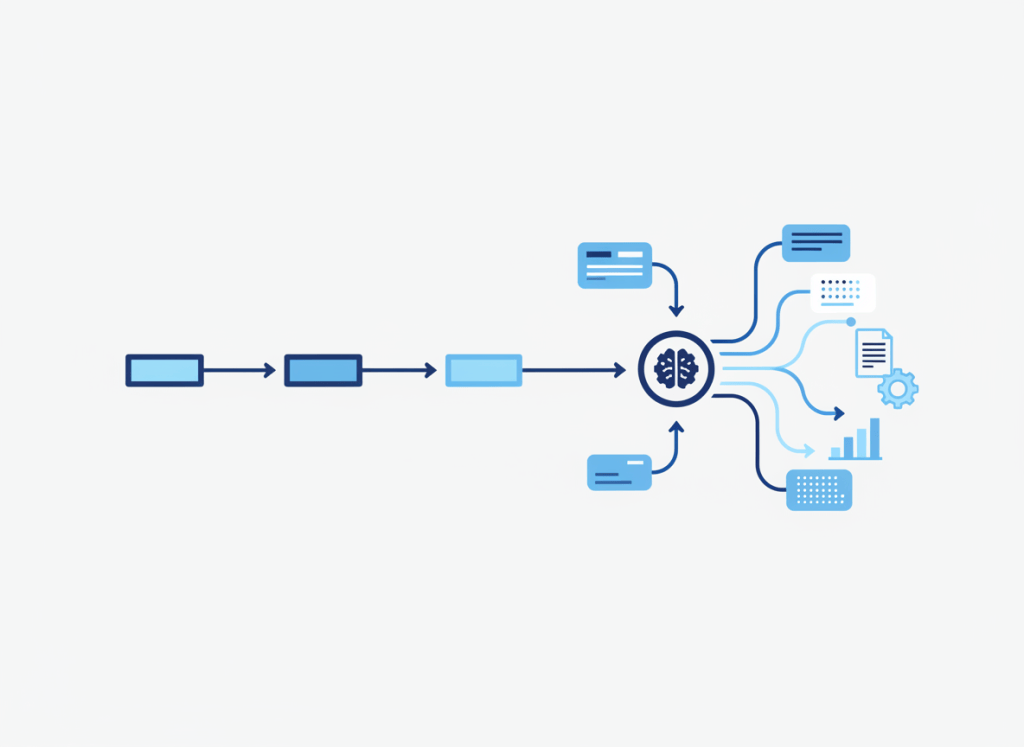
AI agents are becoming easier to build, but that does not mean every workflow should become agentic. For a small team, the cheapest and most reliable automation is often still a simple one: a known trigger, a clear rule, and a predictable action.
The useful question is not whether an AI agent is more advanced. It is whether the work contains enough uncertainty to justify giving software more room to interpret context and choose what happens next.
The decision in one table
| Workflow type | Use it when | Typical pattern |
|---|---|---|
| Simple automation | Inputs and outcomes are predictable | Trigger → rule → action |
| Automation with an AI step | One stage needs interpretation, but the process around it is fixed | Trigger → AI classify/summarize → fixed actions |
| AI agent | The system must evaluate context and choose among possible next actions or tools | Goal → context → reasoning → tool/action choice → feedback |
Start at the top of the table. Move down only when the simpler design cannot handle the uncertainty in the work.
Use simple automation when the rules are already known
Traditional automation is strongest when the workflow can be described without interpretation. A form submission creates a task. A deal entering a stage sends a notification. A new row in a spreadsheet creates a record somewhere else.
These workflows are not less sophisticated because they lack AI. Predictability is a feature. Fixed logic is easier to test, cheaper to run, and easier to investigate when something breaks.
If your main problem is connecting applications and moving structured information between them, choosing the automation platform may matter more than choosing an AI model. Our Zapier vs Make vs n8n comparison looks at that platform decision for small teams.
Add one AI step when the input is messy
Many useful AI workflows sit between traditional automation and a full agent.
Imagine customer emails arriving in different formats. A normal rule may struggle to decide whether each message is a billing question, bug report, feature request, or sales opportunity. An AI step can classify the unstructured text, after which conventional automation can route the result through known paths.
The AI is doing the part that requires interpretation. It is not deciding the entire workflow.
This hybrid design deserves more attention because it keeps uncertainty contained. Zapier’s 2026 analysis of 375 companies’ AI workflows found that AI accounted for 18% of workflow steps, while most steps remained traditional logic, app actions, or data movement. In the same analysis, selective use of AI was associated with substantially lower execution costs than sending every step through AI.
Consider an agent when the next step cannot be fully predetermined
An agent becomes more relevant when a workflow has a goal but the route to that goal can change.
The system may need to inspect several sources, decide which information matters, choose a tool, take an action, evaluate what happened, and then decide whether another action is required. That is different from inserting an AI classifier into an otherwise fixed sequence.
For example, a narrowly scoped project agent might review current project data, identify missing updates, decide which records need attention, prepare a status summary, and route exceptions for human review. The exact path depends on what it finds.
Our guide to Notion Custom Agent workflows for small teams shows several concrete cases where that additional flexibility can be useful.
More autonomy creates more failure modes
Every extra decision an agent can make creates another place where its interpretation can diverge from what the team intended. That matters most when actions are external, expensive, sensitive, or difficult to reverse.
A conventional automation can still fail, but its failure path is usually easier to reproduce: a condition was wrong, an API call failed, or data arrived in an unexpected format. Agentic workflows add model behavior, context selection, tool choice, and potentially multi-step reasoning to the debugging surface.
For that reason, a small team should not measure automation maturity by how many agents it deploys. A better measure is how much repetitive work disappears without making the system harder to trust.
A five-question test before you build an agent
- Can the rules be written in advance? If yes, start with normal automation.
- Is only one step ambiguous? Add AI to that step and keep the surrounding workflow deterministic.
- Does the next action genuinely depend on what the system discovers? That is a stronger agent use case.
- What happens when the system is wrong? Add human approval when an incorrect action would be costly or difficult to reverse.
- Can you tell whether the added autonomy is saving enough work? Track execution cost, correction effort, and time removed from the process.
Do not solve tool overload with agent overload
There is also a stack-design problem. Teams can end up with agents inside the project manager, automation platform, email client, knowledge system, and general AI assistant at the same time.
Before adding another autonomous layer, identify which system owns the workflow and which system holds the source of truth. Our AI productivity stack audit provides a framework for finding overlapping capabilities before another subscription is added.
The same principle applies to work-management software. If your team is still deciding where tasks and project context should live, resolve that foundation first. The Asana vs ClickUp guide is one example of choosing the operating system before layering more automation on top.
The bottom line
Use the least autonomous system that can reliably handle the job.
If inputs and outcomes are predictable, use simple automation. If one part of a fixed workflow requires understanding messy text or context, add an AI step there. Move to an agent when the work genuinely requires the system to choose what to do next based on what it discovers.
That progression keeps AI focused on the part it is useful for: handling uncertainty. The rest of the workflow can remain boring, predictable, and easier to trust.

Leave a comment