Asana and ClickUp are both adding AI to project management, but they are not approaching the problem in exactly the same way. For a small team, that difference matters more than the number of AI features on a pricing page.
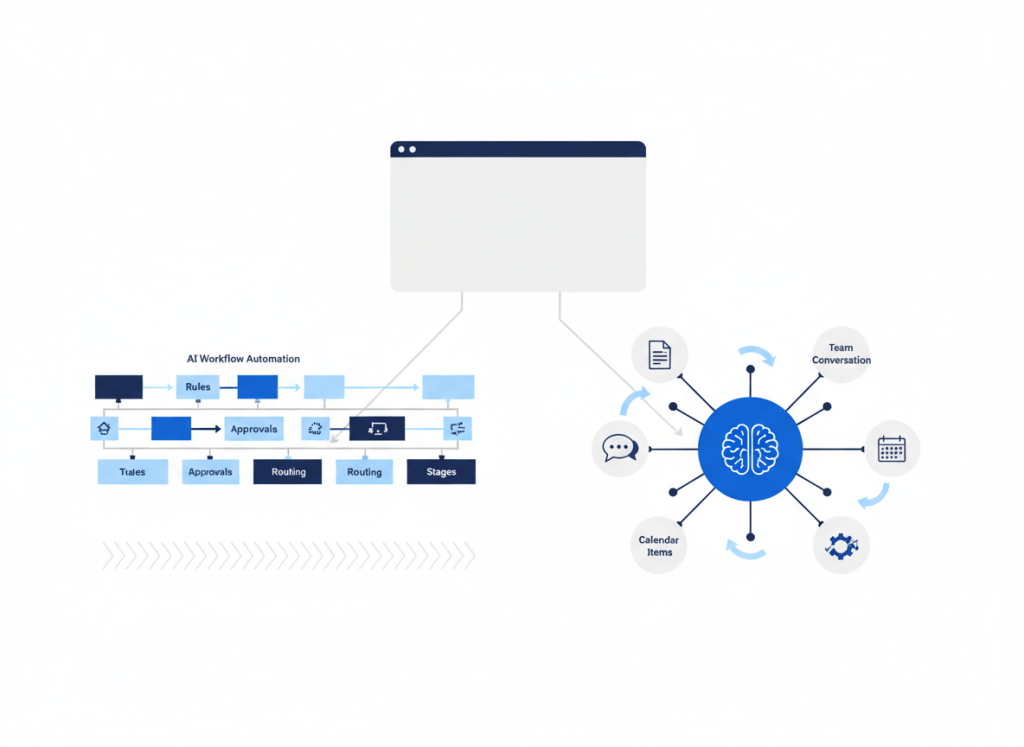
Asana increasingly treats AI as part of structured workflows: classify work, route it, check information, and move tasks through defined processes. ClickUp is pushing AI across a broader workspace that already combines tasks, docs, chat, calendar, email, and connected work context.
The practical question is therefore not simply which product has “better AI.” It is which AI model fits the way your team already organizes work.
Asana AI vs ClickUp Brain at a glance
| Decision factor | Asana AI | ClickUp Brain |
|---|---|---|
| AI center of gravity | Structured workflows, rules, routing, project processes | AI across a broad all-in-one workspace |
| Workflow approach | AI Studio builds Smart Workflows around repeatable processes | AI features span tasks, docs, chat, fields, automations, agents and connected context |
| Best fit | Teams that value explicit process and project structure | Teams consolidating more work inside one workspace |
| Cost structure | Core plan plus included or additional AI Studio capacity depending on plan | Core workspace plan plus AI tier and usage considerations |
This comparison focuses on workflow fit rather than declaring one AI system universally stronger. The products are broad enough that the right answer depends on what you want AI to do inside the project system.
Asana treats AI as part of the process
Asana’s AI Studio is built around Smart Workflows. The useful idea is that AI can sit inside a repeatable business process rather than acting only as a general chat assistant.
A workflow can use AI for work that previously required a person to interpret information, such as categorizing requests, extracting details, checking whether information meets criteria, or routing work to the appropriate next step. The surrounding project structure remains visible and defined.
That approach fits teams that already think in terms of intake, ownership, stages, approvals and handoffs. AI becomes another capability inside the process rather than a separate destination employees have to remember to visit.
ClickUp pushes AI across the workspace
ClickUp’s approach reflects the broader product strategy behind ClickUp itself. The platform combines project management with docs, chat, calendar and other work surfaces, and its AI layer can use that surrounding workspace context.
ClickUp Brain includes AI assistance around work and knowledge, while the platform has expanded into AI Fields, AI Automations and Super Agents. The result is less about adding one AI workflow builder and more about distributing AI across an increasingly broad work environment.
That can be attractive if consolidation is already your goal. If tasks, documentation and team communication live together, the AI has more of the team’s working context available without requiring employees to move information between as many separate systems.
The underlying Asana vs ClickUp decision still matters
AI does not erase the basic product trade-off. Asana remains oriented around structured work management, while ClickUp tries to cover more of the workspace around the project system.
If you have not chosen the underlying project platform yet, start with our Asana vs ClickUp comparison for small teams. Choosing a project system because of one AI feature is risky when your team will spend far more time using its ordinary tasks, views, permissions and collaboration tools.
When Asana’s AI approach makes more sense
Consider Asana’s approach when the process itself is the asset. Examples include request intake, campaign production, project handoffs, recurring operational reviews, or workflows where work should move through recognizable stages.
In those cases, AI is useful when it reduces manual interpretation inside an otherwise understandable process. A person should still be able to look at the workflow and explain why work moves from one stage to another.
This also helps limit unnecessary autonomy. Our AI Agent vs Automation framework explains why a fixed workflow with one AI decision can often be preferable to giving an agent control over the entire process.
When ClickUp’s AI approach makes more sense
Consider ClickUp when the larger goal is to reduce fragmentation between project work and the information around it.
A team that keeps tasks in one product, documentation in another, chat somewhere else and AI in a separate browser tab creates a retrieval problem before it creates an automation problem. ClickUp’s broader AI strategy is most relevant when you want more of those surfaces inside one operating environment.
The trade-off is complexity. Consolidating more functions into one platform can reduce app switching, but it also gives the team more features, settings and AI capabilities to govern. A small team should make sure the additional breadth solves real workflow fragmentation rather than simply creating a larger tool to administer.
Pricing is more than the AI add-on
Asana currently lists Starter at $10.99 per user per month when billed annually, with AI Studio Basic included. Asana also lists AI Studio Plus at $135 per month per account when billed annually, with 100,000 credits per month. Those credits matter when AI workflows move beyond light use.
ClickUp currently lists Brain AI at $9 per user per month and Everything AI at $28 per user per month, alongside its underlying workspace plans. ClickUp also uses AI Super Credits for certain AI capabilities.
These numbers should not be treated as directly equivalent units. Before choosing on price, estimate the number of users who need AI, the workflows that will consume it, and whether the product lets you replace another paid tool. Always verify current plan terms before purchasing because AI packaging changes quickly.
Watch for AI stack duplication
Project-management AI increasingly overlaps with general AI assistants, automation tools and company-search products. That makes a feature comparison only half the buying decision.
If your team already pays for ChatGPT Business, an automation platform and an AI-enabled knowledge tool, ask what Asana AI or ClickUp Brain will uniquely own. Our AI productivity stack audit is designed for exactly that overlap problem.
The broader AI productivity stack guide also explains why assigning clear roles to fewer tools is usually more useful than collecting every new AI feature.
The bottom line
Asana AI is a natural fit when your team wants AI embedded in structured, repeatable project workflows. ClickUp Brain is a natural fit when the larger objective is to connect AI with a broader workspace containing more of the team’s tasks, documents, conversations and operational context.
Choose the project-management model first and the AI layer second. The most valuable AI feature is the one that removes friction from a workflow your team already understands, not the one that adds the longest list of new capabilities.

Leave a comment