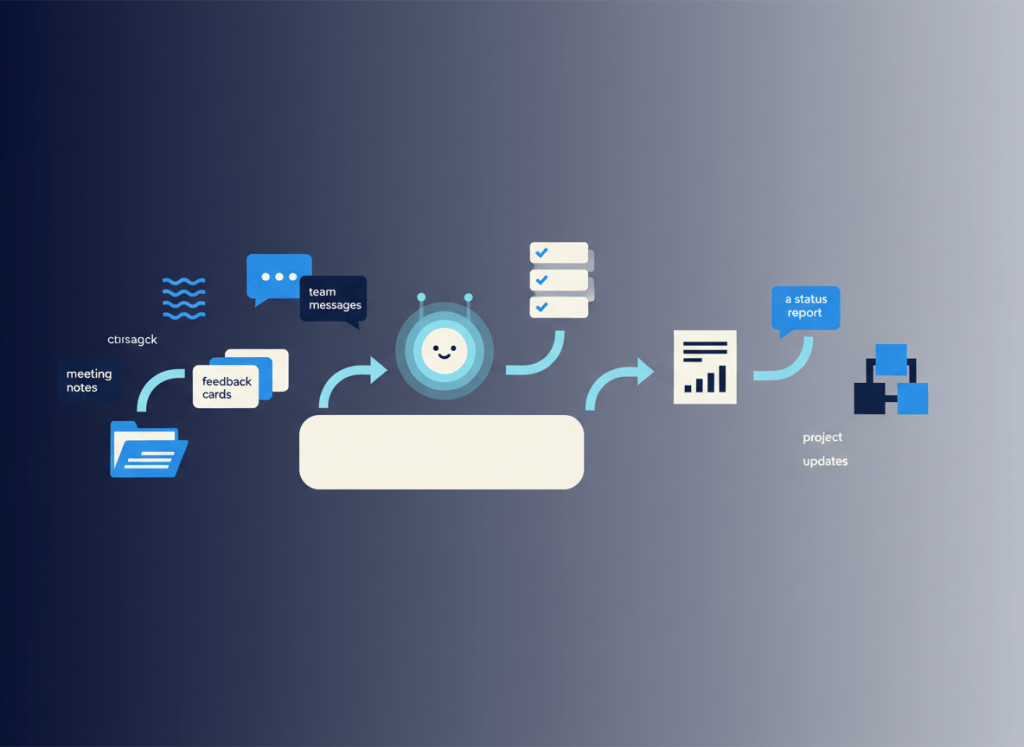
AI agents become useful when they stop being a demo and start owning a narrow, repetitive piece of work. For a small team using Notion, that usually means taking information that already arrives every week and moving it through a predictable workflow with less manual coordination.
Notion Custom Agents are designed for that kind of background work. They can use workspace context, run from schedules or events, and take actions such as updating records or sending information through connected tools. The important part is choosing jobs that are structured enough to automate without handing an agent more authority than it needs.
Start with the workflow, not the agent
A useful agent workflow has five parts: a clear trigger, a narrowly defined agent job, reliable context, an allowed action, and a point where a person can review the result when the stakes justify it.
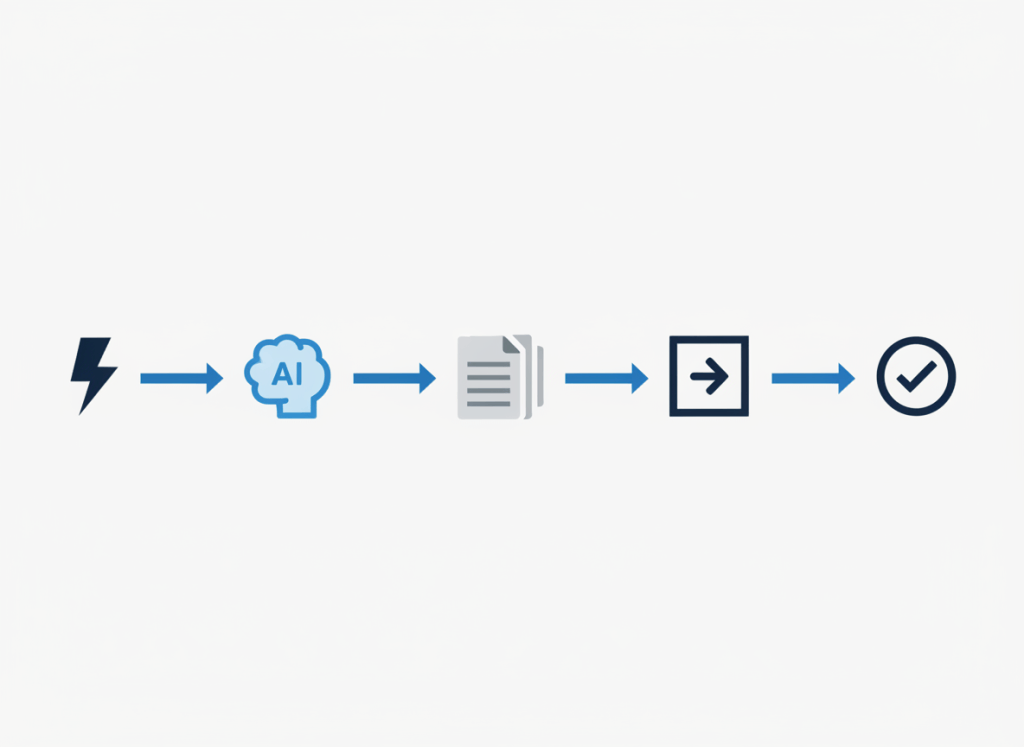
That structure is more important than making an agent “smart.” The best starting workflows are frequent, easy to describe, based on information the team already maintains, and reversible when something goes wrong.
1. Turn meeting outcomes into follow-up work
Meetings create a familiar gap between conversation and execution. Notes may contain decisions and action items, but somebody still has to turn them into assigned work, update the project record, and make sure nothing disappears after the call.
A narrow agent can watch for completed meeting notes, identify structured follow-up information, and route it into the team’s task or project database. The safer design is not “decide what everyone should do.” It is “extract explicitly stated actions, populate the expected fields, and flag uncertain items for review.”
If meetings are your main bottleneck, our guide to automating meeting follow-ups in Notion goes deeper into the workflow. You can also compare the underlying capture tools in our Notion AI Meeting Notes comparison.
2. Build a weekly project status report
Status reporting is a strong agent candidate because the work repeats on a schedule and much of the source material is already structured.
An agent can review selected project records at the end of the week, collect changes in status, overdue items, upcoming milestones, and known blockers, then draft a consistent update. A team lead can review the summary before it is distributed.
The key is to define the source of truth. If people update project status in five different places, an agent may produce a polished summary of incomplete information. Automation works better after the team agrees which database and fields actually represent current project state.
3. Triage recurring requests from team chat
Small teams often receive lightweight requests in chat that later need to become structured work: a bug report, content request, sales follow-up, design change, or internal task.
With an appropriate connection and permissions, an agent can help classify those requests and create or update records in the relevant workflow. The useful boundary is classification and routing, not making consequential decisions on behalf of the team.
For example, the agent might identify messages that match an agreed request format, capture the original context, assign a category, and place them in an intake database. Ambiguous requests can remain unassigned for a person to resolve.
4. Route customer or team feedback to the right owner
Feedback becomes hard to use when it accumulates as isolated comments. An agent can make the intake layer more consistent by turning incoming feedback into structured records and routing those records according to rules the team defines.
A product team might separate bug reports, feature requests, onboarding friction, and documentation problems. An operations team might route internal feedback by process or department. The agent’s job is to reduce clerical sorting while preserving the original source so a person can verify the interpretation.
Avoid asking the agent to infer customer priority from a single message unless you have a well-defined and reviewable scoring system. Classification is usually a safer first automation than prioritization.
5. Handle repetitive internal questions without hiding the source
Teams repeatedly ask questions whose answers already exist: where a process is documented, what the current policy says, which template to use, or where a project decision was recorded.
An agent can help route these questions to existing knowledge and reduce the burden on the person who normally answers them. But the workflow should make the underlying source easy to inspect. A confident answer without a reliable source is worse than a slower manual lookup.
This is also where the boundary between an agent and a general company-knowledge assistant becomes important. Our Notion AI vs ChatGPT Business guide looks at where team knowledge should live when information is spread across multiple systems.
Watch the credit cost as workflows scale
Agent automation is not free simply because it replaces clicks. Notion’s Custom Agents use Notion Credits, and credit consumption varies with the work performed. That means a workflow that runs occasionally can have a very different cost profile from one triggered across hundreds of records or conversations.
Notion says Custom Agents are available on Business and Enterprise plans, and its published credit pricing is $10 per 1,000 credits per month. The company began charging credits for Custom Agent usage on May 4, 2026. Pricing and packaging can change, so confirm current terms before designing a workflow around a fixed cost assumption.
Before scaling an agent, measure how often it runs, how much manual work it actually removes, how often a person has to correct the result, and whether a simpler database automation could do the same job.
Permissions deserve more attention than prompts
An agent that can read information and take actions creates a permissions problem as well as a productivity opportunity. Notion documents important differences between agent access and ordinary user interactions, so teams should review what information an agent can reach and who can invoke workflows that rely on that access.
Use the narrowest practical permissions, keep sensitive sources out of an agent’s scope unless they are genuinely required, and add human review before consequential external actions. An agent should not become an accidental bridge between information that the team intended to keep separated.
How to choose your first Custom Agent workflow
Pick one recurring process and write down the trigger, source data, expected output, allowed actions, failure cases, and reviewer. If you cannot describe those pieces clearly, the process is probably not ready for an autonomous agent.
Then compare the agent with the simplest alternative. A database automation, form, template, or conventional integration may be cheaper and more predictable. Agents earn their place when the work requires interpreting context, not merely moving a value from one field to another.
This is the same discipline we recommend when auditing an AI productivity stack: give every AI layer a specific recurring job, rather than adding it because the capability exists.
The bottom line
For small teams, the most useful Custom Agent workflows are usually unglamorous. They turn meeting outcomes into work, assemble routine status updates, structure incoming requests, route feedback, and recover existing knowledge.
Start narrow. Keep the source of truth clear. Measure credit usage and correction effort. Most importantly, preserve a human checkpoint anywhere an incorrect action would be expensive, sensitive, or difficult to reverse.

Leave a comment