Meeting notes are useful only if the decisions inside them turn into work. A summary that sits unread in a workspace may be accurate, but it still leaves someone to create tasks, update project pages, and send follow-ups.
Notion’s newer automation capabilities make it possible to shorten that gap. Teams using AI Meeting Notes can use completed meeting notes as a trigger for a Custom Agent, creating a workflow that moves from conversation to structured follow-up with less manual handoff.
What the workflow actually looks like
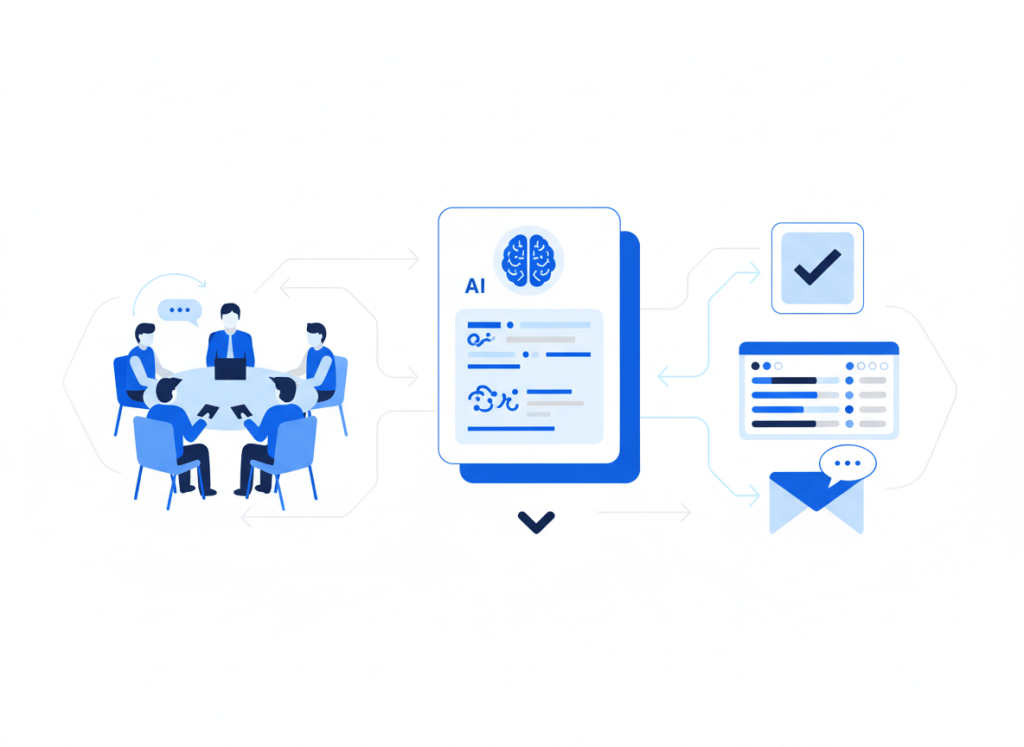
The useful mental model is simple: meeting → notes → agent → action.
- A meeting is captured with AI Meeting Notes.
- The completed note becomes the trigger.
- A Custom Agent reads the meeting context and follows the instructions you have defined.
- The agent performs a focused follow-up, such as updating a project page, creating structured action items, or preparing information for another workflow.
This is different from treating an AI meeting assistant as a transcription archive. The value comes from designing what should happen after the summary exists.
Start with one follow-up problem
The easiest mistake is trying to automate every possible meeting outcome at once. A better starting point is one recurring meeting with one predictable next step.
For a weekly project meeting, for example, the agent could extract decisions and action items, then update a project status page. For a customer or research call, it could organize key themes into a consistent database structure. For an internal planning meeting, it could identify owners and due dates for review before tasks are distributed.
The narrower the job, the easier it is to check whether the automation is doing useful work.
A practical setup pattern
1. Decide what counts as a successful meeting output
Before configuring an agent, define the output you would normally create by hand. That might be a short decision log, a list of action items with owners, or an updated project status.
A vague instruction such as “handle the meeting follow-up” gives the automation too much room to interpret. A more useful instruction defines the destination, the fields to update, and what should be left for a person to review.
2. Use completed AI Meeting Notes as the trigger
Notion supports AI Meeting Notes as an event that can trigger a Custom Agent. That matters because the workflow can begin when the meeting record is ready rather than relying on someone to remember to run a separate automation.
Keep in mind that availability depends on your Notion plan and workspace setup. Notion currently lists AI Meeting Notes for Business and Enterprise plans, so teams should confirm their plan before designing a workflow around it.
3. Give the agent a tightly scoped job
Tell the agent what information matters, where it belongs, and what it should not do. If the meeting contains an ambiguous owner or deadline, for example, it may be safer to flag the item for review instead of silently inventing a value.
This human-review boundary is especially important when meeting notes contain decisions that affect customers, deadlines, budgets, or commitments.
4. Test the workflow on ordinary meetings
Do not judge the setup from one unusually clean meeting. Test it against several normal meetings: one with clear action items, one with a messy discussion, and one where little follow-up is required.
The goal is not perfect automation. It is reducing repetitive coordination without creating a new cleanup job.
When Notion-only automation is enough
Keeping the workflow inside Notion makes sense when the meeting notes, project knowledge, tasks, and status information already live there. Fewer handoffs can make the system easier to understand and maintain.
But many teams work across several apps. If the next action needs to happen in a CRM, a dedicated task manager, messaging software, or another external system, a broader automation platform may still be the better orchestration layer. Our Zapier vs Make vs n8n comparison explains how those approaches differ for small teams.
Where meeting assistants still fit
This workflow does not make dedicated meeting assistants irrelevant. Tools differ in how they capture conversations, organize knowledge, integrate with other systems, and fit into existing team habits.
If you are still deciding how meetings should be captured in the first place, start with our Notion AI Meeting Notes vs Otter, Fireflies, and Fathom comparison or the broader guide to AI meeting assistants for small teams.
Avoid building another layer of tool overload
An automation is worthwhile when it removes a repeated handoff. It is less useful when it simply adds another agent, database, or notification that someone must manage.
Before adding a new tool to support the workflow, check whether the capability already exists in your current stack. Our guide to auditing an AI productivity stack offers a simple way to look for overlap and workflow friction first.
The better goal: shorter distance from decision to action
The most useful meeting automation is not the one that produces the longest summary. It is the one that reduces the distance between a decision and the next responsible action.
For teams already working in Notion, AI Meeting Notes plus Custom Agents can provide a practical path toward that goal. Start with one meeting type, automate one predictable handoff, keep important decisions reviewable, and expand only when the workflow proves useful.

Leave a comment