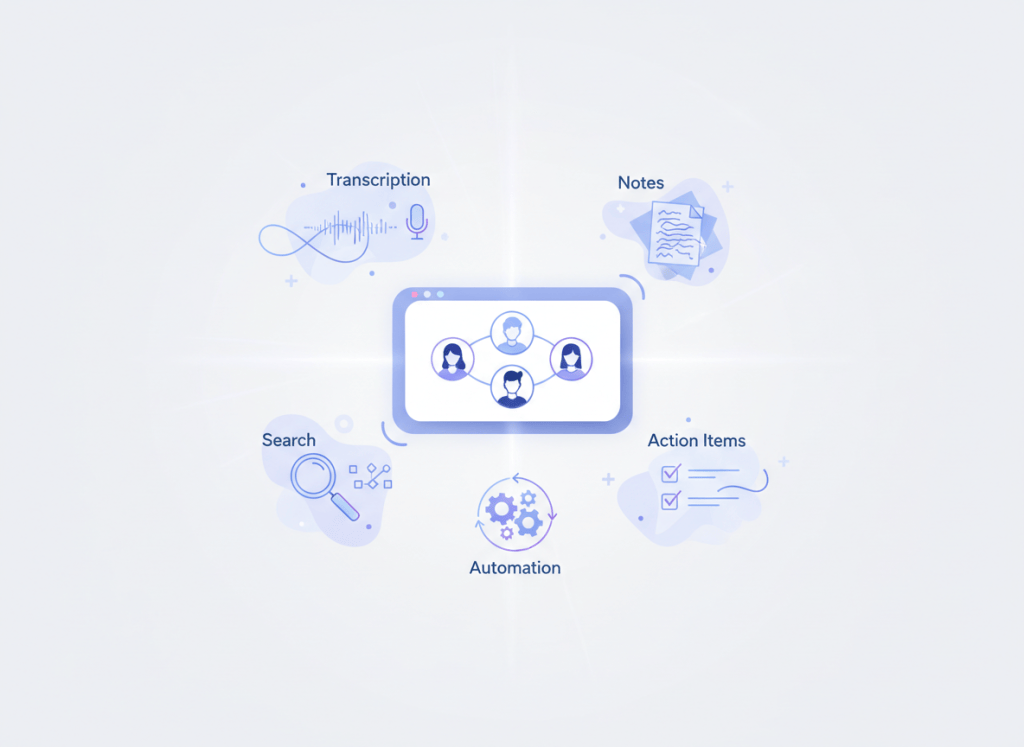
The most useful AI meeting tool is usually the one that saves work after the call ends.
For a small team, that could mean a cleaner transcript, better action items, easier search, or less copying into Slack, Notion, a CRM, or a task manager. The right choice depends on which of those handoffs is currently painful.
Below is a research-based look at five widely used options: Fathom, Granola, Fireflies, Otter, and tl;dv. Features and prices were checked against vendor documentation on September 23, 2026.
The short version
| Tool | Where it stands out | Paid entry point* |
|---|---|---|
| Fathom | Generous free recording and transcription | Premium available |
| Granola | Lightweight notes with AI assistance | $14/user/month |
| Fireflies | Integrations and post-meeting automation | $10/seat/month annually |
| Otter | Live transcription and searchable meeting history | $8.33/user/month annually |
| tl;dv | Cross-meeting analysis and recurring reports | $18/user/month annually |
If you are unsure where to start, use a free plan for two weeks on the same type of recurring meeting. That will tell you more than comparing feature grids for an afternoon.
Fathom: the easiest free starting point
Fathom is appealing because the free individual plan is genuinely usable. Its current documentation says free users get unlimited recordings, storage, and transcription, while access to more advanced AI summaries is limited.
That makes it a sensible first choice for a founder, consultant, or small team that mainly wants meetings captured and summarized without committing to another monthly bill. It also works across Zoom, Google Meet, and Microsoft Teams.
The trade-off appears when the team wants more than capture. Shared search, richer team controls, CRM-oriented workflows, and advanced summaries push you toward paid tiers.
Granola: better when you still want to take notes yourself
Granola feels different from the more archive-heavy meeting assistants. The product is built around your own notes, with AI helping fill in context and clean them up after the meeting.
Its Business plan is currently listed at $14 per user per month. That tier adds unlimited meeting history and integrations with tools such as Notion, Slack, HubSpot, Affinity, and Zapier.
This makes Granola a stronger fit for product, design, strategy, and other knowledge-work teams that want better notes without turning every conversation into a full meeting-intelligence workflow. It is less compelling if video recording, sales coaching, or deep conversation analytics are central requirements.
Fireflies: useful when the meeting has to trigger other work
Fireflies is built for teams that care about what happens after the summary. It combines transcription, search, action items, integrations, and automation, so meeting information can move into the rest of the team’s workflow.
Its Pro plan is currently $10 per seat per month on annual billing, with Business at $19. Pro includes unlimited transcription and AI summaries; higher tiers add more storage, analytics, administrative controls, and workflow features.
For agencies, operations teams, and customer-facing groups, that broader workflow can be more valuable than the transcript itself. The downside is complexity: some advanced AI actions use separate credits, so the practical cost depends on how heavily the team uses them.
Otter: still strong if transcription is the main job
Otter remains straightforward when the priority is live transcription and searchable meeting history. The free Basic plan currently includes 300 transcription minutes per month, speaker identification, and AI chat features.
The Pro plan is listed at $8.33 per user per month on annual billing and expands recording time, search, exports, and AI workflows.
For teams that want a reliable record of conversations, Otter is easy to understand. The free plan’s monthly cap can become restrictive for meeting-heavy teams, and teams looking for deeper automation may find broader workflow options elsewhere.
tl;dv: more useful when patterns across meetings matter
tl;dv puts more emphasis on what can be learned across several conversations. Alongside recording and transcription, it offers multi-meeting reports, recurring insights, CRM workflows, and follow-up automation.
The free plan includes unlimited meeting recordings and transcriptions. Pro is currently listed at $18 per user per month on annual billing and adds unlimited AI meeting notes, Ask tl;dv, multi-meeting reports, and broader integrations.
That makes it interesting for sales, research, or customer teams that repeatedly discuss the same accounts, projects, or themes. If the only requirement is a clean meeting summary, however, the extra intelligence layer may be more than you need.
Choosing between them
The best way to narrow the list is to ask what someone on the team still has to do manually once the meeting ends.
| If the pain is… | Look at… |
|---|---|
| Paying for basic recording and transcription | Fathom or tl;dv |
| Notes feel too automated or impersonal | Granola |
| Copying outcomes into other apps | Fireflies |
| Finding something said weeks ago | Otter |
| Spotting patterns across many calls | tl;dv |
This is the same logic behind our AI productivity stack guide: the tool should own a clear job and remove friction, not add another place to check.
Do not skip the privacy questions
Meeting assistants touch conversations that may include customer information, internal strategy, hiring discussions, or other sensitive material. Before rolling one out across a team, check more than convenience.
- How recording consent is handled in the places where your team operates.
- How long recordings and transcripts are retained.
- Whether administrators can control deletion and access.
- How the vendor describes model training and use of customer content.
- Which integrations are enabled and where meeting data can travel.
A tool that saves ten minutes per meeting is not worth much if the team is uncomfortable with where the data goes.
A better way to test before paying
Pick one recurring meeting — for example, a weekly client call or product sync — and use the same tool for two weeks. At the end, ask three questions:
- Did people actually read or reuse the summary?
- Were action items easier to capture and follow?
- Did anyone still rewrite the notes by hand?
If the answer to all three is no, the problem may not be the plan tier. It may be that the tool is solving the wrong part of the workflow.
What I would compare first
For most small teams, the first comparison does not need to involve all five products.
If cost is the main concern, start with Fathom and tl;dv. If people care about the quality of their own notes, add Granola. If meetings need to feed other systems, compare Fireflies. If live transcription and search are the priority, put Otter on the shortlist.
That keeps the decision tied to a real workflow instead of turning software research into another productivity project.
Sources and pricing
- Fathom pricing and plan documentation
- Granola pricing
- Fireflies pricing
- Otter pricing
- tl;dv product information and pricing documentation
WorkTech Atlas did not receive payment from the companies listed here. This article is based on public product information; plan details may change.

Leave a comment