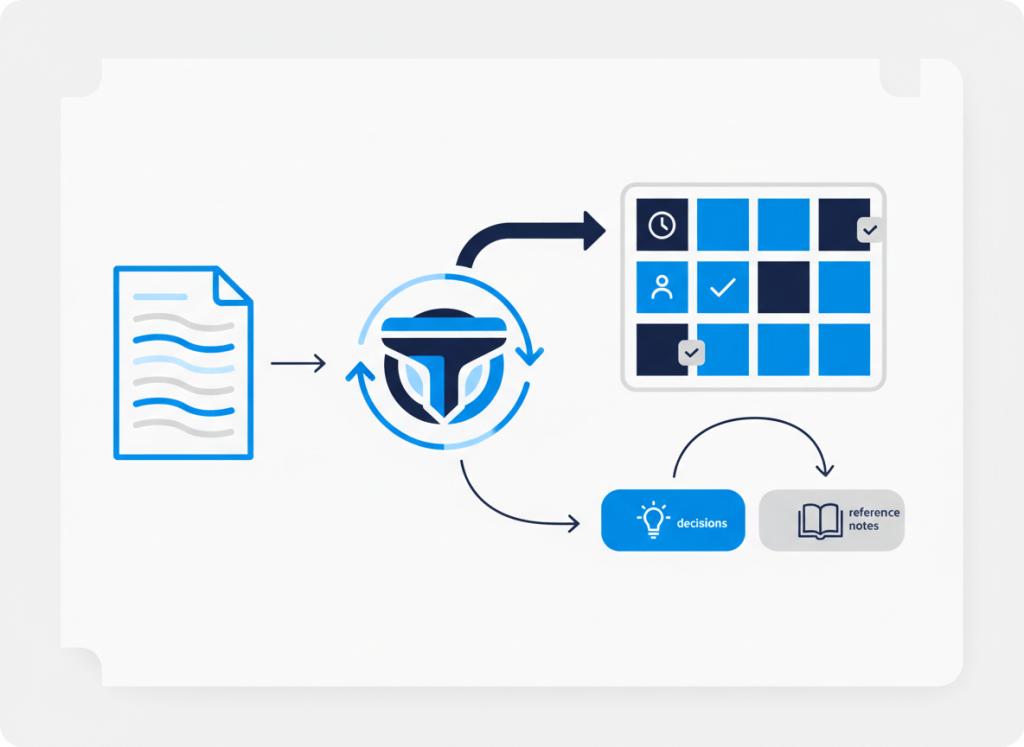
AI meeting notes can remove a lot of transcription work. They can also create a new problem: a project board full of vague, duplicated, or low-value tasks that nobody remembers agreeing to.
The mistake is treating every action-sounding sentence as a task. A useful meeting workflow needs a filter between the transcript and the task system.
The goal is simple: preserve decisions and context, but create tasks only when someone can actually act on them.
Do not send raw meeting notes straight to the task list
A meeting contains several kinds of information. Some of it describes decisions. Some is background. Some is a question that still needs clarification. Some sounds like an action but has no owner or deadline.
If automation sends all of those items into a project manager, the team gets task inflation. The board looks busy, but the signal-to-noise ratio gets worse.
A better workflow separates meeting output into five fields before anything becomes a task: decision, action, owner, due date, and follow-up context.
Use a simple task gate
| Meeting output | Where it should go |
|---|---|
| Clear action + owner | Task system |
| Clear action but no owner | Human review |
| Decision with no action | Meeting record / project context |
| Reference information | Notes or knowledge base |
| Ambiguous follow-up | Human review before task creation |
This gate is intentionally conservative. Missing a questionable auto-created task is usually easier to correct than flooding a team’s project system with work that was never properly assigned.
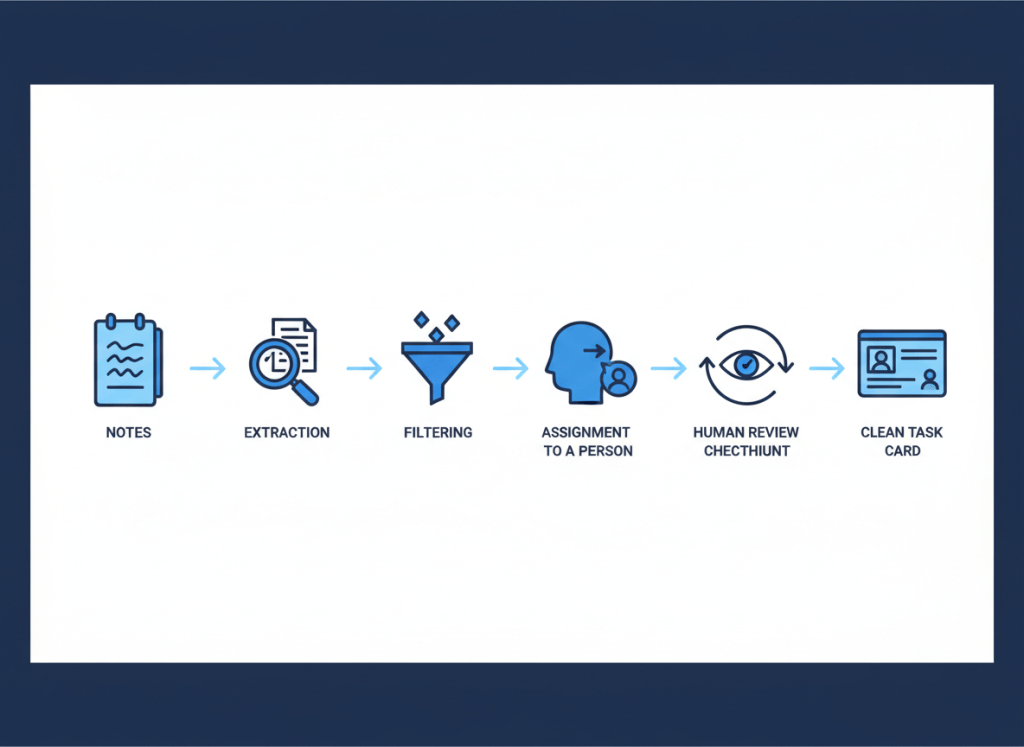
Step 1: extract structure from the meeting
The meeting assistant’s first useful job is not task creation. It is turning unstructured conversation into structured candidates.
Ask the system to distinguish decisions from actions and to capture an owner or due date only when the conversation actually provides one. Do not instruct it to invent missing ownership or deadlines just to complete a template.
If you are still choosing the capture layer, our AI meeting assistants comparison for small teams looks at several options, while Notion AI Meeting Notes vs Otter, Fireflies, and Fathom focuses on how the workflow changes when meeting notes live inside the workspace.
Step 2: filter before creating work
Once the meeting has been structured, apply rules before anything reaches the project board.
- Is there a concrete action?
- Is there an identifiable owner?
- Is the task meaningfully different from work that already exists?
- Does the action belong in the team’s task system rather than the meeting record?
- Would a person reading the task later understand what “done” means?
If the answer is uncertain, route the item to review instead of forcing it into the task list.
Step 3: keep the meeting as the source context
A task should not require someone to reconstruct an hour-long meeting just to understand why it exists. At the same time, copying an entire transcript into every task creates clutter.
Use a short task description with the relevant decision or context, then link back to the meeting note when deeper context is useful. That keeps the task operational while preserving the source material.
Step 4: add human review where ambiguity is expensive
Human review is not a failure of automation. It is a useful boundary when the system cannot reliably infer ownership, priority, scope, or whether a conversational suggestion became an actual commitment.
A practical design is to auto-create only high-confidence tasks and send ambiguous candidates to a short review queue. One person can approve, edit, assign, or discard them before they enter the main project system.
This is the same principle behind our AI Agent vs Automation framework: use AI for uncertainty, but keep deterministic rules and human checkpoints where they improve reliability.
Step 5: automate the handoff, not the judgment
After an item passes the task gate, automation becomes straightforward. Create the task, assign the known owner, carry over the agreed due date, add concise context, and link to the source meeting note.
If your team works in Notion, our guide to automating meeting follow-ups in Notion shows how that handoff can fit into a broader follow-up workflow.
Measure whether automation is reducing work
A meeting automation is not successful because it creates more tasks. It is successful when fewer commitments are lost and less manual cleanup is required afterward.
Watch a few simple signals: how many generated tasks are deleted, how many need their owner changed, how many duplicate existing work, and how often people still have to reread the meeting notes to understand the task.
If cleanup keeps rising, tighten the task gate rather than adding more AI.
The bottom line
Do not automate the path from meeting transcript to project board as one uninterrupted step.
Extract the meeting into structured decisions and action candidates. Filter those candidates. Require clear ownership for automatic task creation. Route ambiguity to a person. Then automate the mechanical handoff into the task system.
The best AI meeting workflow does not turn more sentences into tasks. It turns the right commitments into work people can actually finish.

Leave a comment