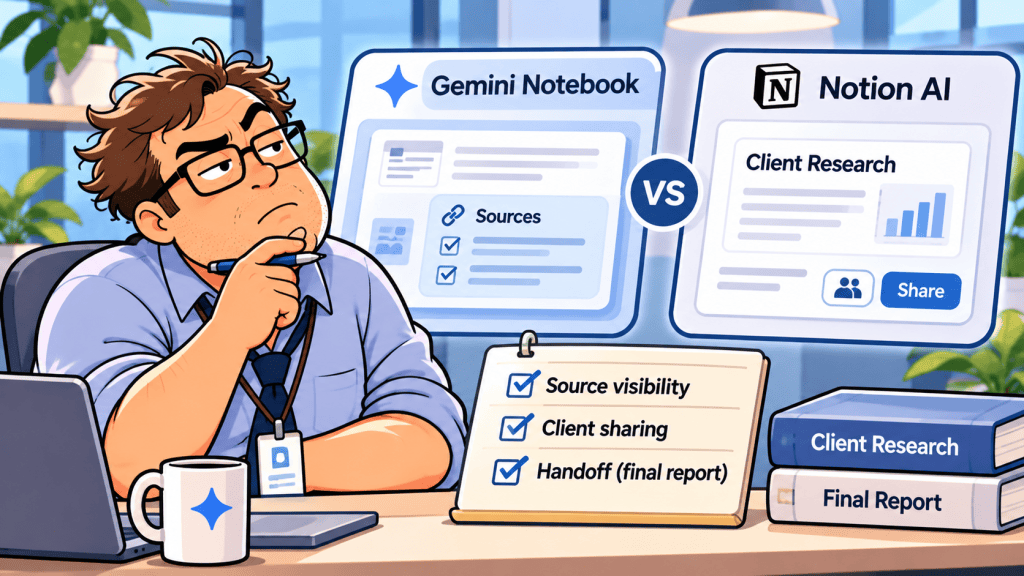
A client sends a 90-page brief, six background links, and a revised scope document. One person needs to extract the evidence. Another needs to write a recommendation. The client ultimately needs a clean, controlled version of the result. Those are three different jobs, even when an AI product promises to handle all of them.
Gemini Notebook (formerly NotebookLM) is a focused place to interrogate a curated set of sources. Notion AI works inside a living workspace and, on eligible plans, searches connected work apps. Neither wins by default. The better choice depends on whether your bottleneck is understanding documents or maintaining work that other people must review.
Google announced the NotebookLM-to-Gemini Notebook name change on July 16, 2026. You will still see the older name in searches and discussions. This comparison uses the current name and concentrates on what changes after the first useful AI answer: sources change, colleagues join, and clients ask for access.
Gemini Notebook vs Notion AI: where should client research live?
| Client research question | Gemini Notebook (NotebookLM) | Notion AI |
|---|---|---|
| Where does the evidence live? | In a notebook with selected source material | In Notion pages and supported connected apps, within user permissions |
| What is it naturally good at? | Questioning, comparing, and tracing a bounded source set | Finding workspace context, developing a report, and maintaining project decisions |
| Does it replace the source system? | No. Imported Google Drive documents remain governed by Drive access | No. Connected information remains in the originating app |
| What can a client see? | A shared notebook can expose its sources and artifacts to viewers | A shared Notion page shows the material published on that page |
| Most important failure to test | Accidentally sharing a source library rather than a final summary | Publishing AI-generated content that contains internal-only context |
For a small consultancy, the practical split is simple: use Gemini Notebook to investigate the source bundle and use Notion to maintain the approved working record, if that workflow matches your existing tools. You do not need both just because both contain AI.
Source updates: live Drive files versus indexed workspace knowledge
Imagine a project manager corrects a revenue assumption in the original Google Sheet after the first research pass. A plausible AI summary from yesterday can now be the wrong answer.
Gemini Notebook treats a notebook as a bounded research collection: individual notebooks cannot query each other in one search. Google states Drive imports auto-sync every few minutes, with a manual sync option if needed. It also says that if you lose permission to the original Drive file or the file is deleted, that Drive-imported source becomes inaccessible, including in shared notebooks. The same update behavior should not be assumed for every uploaded PDF or pasted excerpt. Google’s source documentation describes these differences.
Notion AI approaches the question from a different direction. On Business and Enterprise, its connectors can search supported apps such as Google Drive as well as information in Notion. That does not make connector results instantaneous: Notion says initial ingestion can take up to 36 hours and newly changed content may take up to three hours to appear, sometimes longer. Notion’s connector guide explains those delays and administrator requirements.
For a research assignment with revised material, assign a source owner and note the document version or review date in the deliverable. Before you issue a recommendation, open the cited original and confirm the critical figure. A citation is a route back to evidence, not a substitute for checking it.
Client sharing: the access test most comparisons miss
The difference becomes uncomfortable at client handoff. Gemini Notebook lets you invite viewers or editors. Its viewer role can read the notebook’s source documents and notes, not merely a polished AI response. Google explicitly warns that Chat View can hide sources in the interface without revoking underlying access to them. Its notebook sharing help is unusually clear on that point.
For Google Workspace accounts, external notebook sharing is also subject to organization settings. Google’s September 10, 2026 announcement said external notebook sharing is off by default for Workspace admins to configure at the domain, organizational-unit or group level. An external client’s ability to open a notebook and to read individual Drive sources may depend on separate policies and permissions.
Notion takes a page-oriented route. You can invite an external guest to specific pages without making them a workspace member, subject to your plan and settings. Notion says its AI connectors respect the requesting user’s existing access permissions, but permission-aware retrieval does not protect text that an employee intentionally copies into a client-visible report. Once the summary is on that page, the page’s sharing rules govern the summary.
Suppose a prospect asks for a rationale behind your pricing recommendation. A Gemini Notebook containing internal rate cards should remain internal even if its AI answer looks suitable for clients. A separate, reviewed client-facing report can contain the approved argument and citations to sources the client is permitted to open. For additional context on what search permissions do and do not solve, see our Notion AI vs Slack Enterprise Search guide.
Bob’s field note: The button says “Chat View,” not “client-safe redaction.” Before you share a research notebook, review every source and every sharing permission. A cleaner interface is not a permission boundary.

Three-person team costs: compare the job, not just the sticker
If an agency already pays for Google Workspace, the first question is whether Gemini Notebook is available under that account, not whether to buy another platform. Google lists Gemini Notebook for Workspace users, with expanded access on eligible plans. The U.S. list price shown for Workspace Business Standard is $14 per user per month with an annual commitment, or $42 for three users before tax. Regional prices, billing terms, and temporary promotions differ. Verify your own Workspace plan.
Notion’s pricing page lists Business at $20 per member per month under its displayed billing selection, or $60 for three members on the same basis. Full Notion AI and Enterprise Search are Business/Enterprise capabilities; Free and Plus provide only limited AI trials. External guests are not automatically paid members, but they have page-scoped access. Check the billing toggle before applying any figure to a budget. Notion’s live pricing page is the source.
Those $42 and $60 totals are illustrative suite costs, not the price of equivalent standalone AI research services. Workspace includes email, storage, and meetings; Notion Business includes a wiki, projects, and other AI features. The relevant incremental cost could be zero if you already have the right subscription. If not, compare the workspaces you would actually need, including seat count and external guest requirements.
Our older comparison of Notion AI vs ChatGPT Business for team knowledge makes the broader point: subscriptions often overlap because they solve different parts of a workflow, not because they are interchangeable.
A low-risk workflow for a client research brief
For a three-person agency preparing a client landscape report, separate investigation from publication.
This is a proposed workflow, not a report of hands-on product testing.
- Define the source boundary. Put approved documents, dates, and owners in a source register. Exclude internal rate cards unless the research specifically needs them.
- Research with citations. Use Gemini Notebook for a fixed source bundle, or Notion AI for contextual questions across an existing workspace. Open important citations in their original systems.
- Write one controlled deliverable. Give the report a decision owner, revision date, and a distinction between verified facts and recommendations. Notion pages can be useful for this, but a Google Doc or another existing workspace can serve the same role.
- Run the release check. Verify every client-visible citation, remove confidential reasoning, and ask a second person to approve the content before granting client access.
- Close the access loop. Record who received the report. At project end, remove unneeded notebook or page access and review access to original files separately.
The approval step should be proportionate. A routine internal research note needs less scrutiny than a pricing claim or client recommendation. Our guide to human approval in AI workflows outlines where a checkpoint is most useful.
Five checks before choosing a paid workflow
Rather than judging which interface produces the nicer sample answer, use the same non-confidential test project to examine the handoff. These are tests to run, not results we claim to have measured.
| Test | What to observe |
|---|---|
| Source correction | Change a permitted source fact. Note when and how the answer reflects it. |
| Permission removal | Revoke a test account’s access to the source. Confirm what the AI and user can still see. |
| External client view | Use a separate authorized client test identity. Inspect visible notes, attachments and citations. |
| Human handoff | Ask a colleague to trace two material claims to their original sources. |
| Project closure | Remove client access and verify notebook, report and underlying source permissions separately. |
A tool that passes the research test but fails the client handoff test may still be valuable internally. It simply needs a safer publication step. Before adding a second subscription, use our AI productivity stack audit to check whether you already own the necessary reporting and sharing layer.
WTA VERDICT
Choose Gemini Notebook when a bounded set of documents is the problem to solve. Choose Notion AI when knowledge needs to remain connected to a team workspace, project decisions, and ongoing reports. For sensitive client work, a useful third answer is to research internally and publish a separate, reviewed deliverable. Treat client access as a design decision, not the final click in an AI chat.
3-Line Takeaway
- Gemini Notebook is strongest for evidence within selected sources; a shared notebook can expose those sources.
- Notion AI fits continuing project knowledge; connected search has indexing and plan constraints.
- Keep source permissions, client-facing reports, and human sign-off separate.

Leave a Reply