
A small agency finishes a client engagement and sends the client a diagram of the workflow it built. The diagram looks complete. It says that a form submission creates a CRM record, assigns a project task and notifies the client team.
But a diagram is not a running automation. The trigger may still be waiting on the agency’s account, the actions may be authenticated with a former consultant’s login, and the client might not know where a failed run is recorded. An automation handoff is complete only when the client can operate it without borrowing access from the agency.
Quick answer: For Zapier, copy the workflow into the client’s account and reconnect every app; the new copy starts off, its run history stays behind and its webhook URL may change. For Make, import a scenario blueprint or copy a shared scenario, then create the client’s own connections and supporting resources. Neither route makes a live transfer automatic.
This guide is for small agencies, consultants and operations teams delivering client-owned workflows in Zapier or Make. It draws on published product documentation checked on November 12, 2026. It is not a claim of hands-on testing, and it does not replace your client’s security or data-retention requirements.
The five assets hidden inside one automation
| Asset | What the agency hands over | What the client must verify |
|---|---|---|
| Workflow logic | Triggers, actions, filters, branches and mapping | Can we edit and explain each step? |
| Connected identities | App accounts, OAuth permissions or API keys | Are the connections authorized by an account we control? |
| Endpoints and schedules | Webhook addresses, polling, schedules and subscriptions | Is the live source pointing at our new workflow? |
| Dependencies | Tables, data stores, subscenarios, templates and variables | Has every required supporting asset moved or been rebuilt? |
| Operating record | Run history, error alerts, owners and rollback instructions | Can our team identify and fix tomorrow’s failure? |
Call these the five handoff layers: logic, identity, endpoints, dependencies and operations. That last column is the difference between delivering a copy and delivering a service. A copied workflow can look correct and still fail the first time the original account is disabled.
If the project also involves shared folders, client chat and meeting transcripts, use the broader client offboarding access checklist. This article deals specifically with the moving parts inside the automation platform.
Decide where the workflow should live before rebuilding it
Best case: build in a client-controlled environment from day one. The client owns the platform subscription or organization, an appropriate administrator controls billing, and the consultant receives revocable project access. At closeout, the client removes the consultant while keeping its own connected services.
Second-best: copy a working design into the client’s environment. This is the usual repair when an automation began in an agency account. Copying saves rebuilding effort, but the client still has to authenticate its apps, inspect the steps and test cutover.
Not enough: send a screenshot or shared scenario link and disappear. A diagram can explain the logic, but it does not convey working credentials, schedules, supporting data or responsibility for errors.
These choices matter whether your team likes Zapier’s structured editor or Make’s visual scenarios. For a broader tool-selection decision, see our Zapier vs Make vs n8n guide. Here, the question is what survives the change of owner.
Zapier: a copied Zap is a new asset, not a seamless transfer
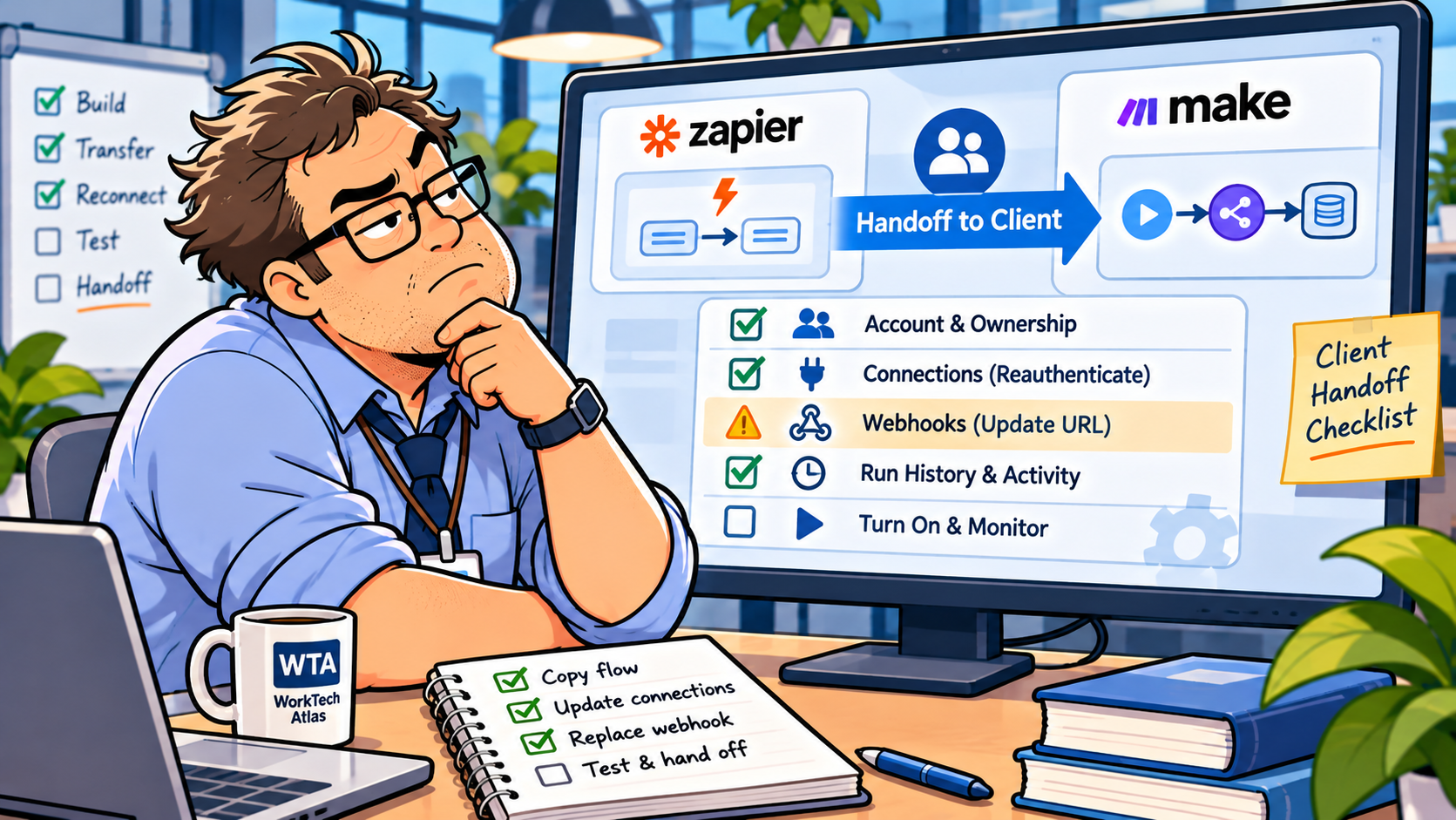
Zapier distinguishes changing a Zap’s owner within the same account from copying assets to another account. That difference is essential for an agency working in its own account for a separate client.
Zapier’s copy-to-another-account instructions let users select assets, choose a destination account and copy them to a folder there. This route assumes the right account access: Zapier separately notes that you cannot copy an asset to an account you do not belong to. For a cross-account copy, the agency user must belong to the destination account and have access to the assets it owns; the client should arrange that access without sharing a password. Then the client must separately authorize the destination connections.
A copied Zap comes with important limitations:
- It is off in the destination, even if the original was running.
- The recipient must reauthenticate app connections. A placeholder for a connection is not permission to use the original account.
- Run history and usage history do not follow the new copy.
- Webhook URLs change. The system sending the event must be updated to the new address.
- Related assets are not copied automatically. A Zap depending on Zapier Tables or other resources may need those assets copied separately. Global variables are replaced with their current values in the new asset, so re-check assumptions about what should remain configurable.
That suggests four gates before launch: dependencies present; client connections authorized; sender updated; destination test approved. Keep the new Zap off until the client passes all four. Zapier’s consolidation guidance explicitly says assets cannot be copied into an account the user does not belong to, and notes that asset ownership and access matter.
What about changing ownership instead?
Inside an existing Team or Enterprise account, ownership of Zaps and connections can be reassigned. That can be useful when an agency consultant was a member of the client’s account and is leaving the team. It is not the same as transplanting an agency-owned account to an unrelated client tenant. Zapier also warns that owner changes and member offboarding can change webhook URLs, and credentials may expire if the connected external user is removed. Read the member-offboarding guidance before treating an ownership update as a zero-downtime guarantee.
A dated 2026 footnote matters: Zapier says newly created legacy shared Zap templates are no longer supported, and existing shared-template links will stop working on December 15, 2026. For a real handoff, use the supported account-copy route rather than making a legacy template URL the only artifact. See Zapier’s template notice.
Make: a blueprint carries design, not credentials
Make calls automations scenarios. Its scenario blueprints can preserve modules, settings and mapped values in a JSON file, which another Make user can import. The new user must still create connections for their own services. It is a practical way to transfer the design, but not access to the connected systems. Review mapped sample values before distributing any export; a blueprint is a file that can be forwarded.
Make also supports scenario sharing: the recipient can view a shared scenario and copy it into their selected organization and team. Make says the shared version does not include API keys, passwords or connection details. Dependent subscenarios, AI agents, data stores and data structures require separate attention. A public scenario page is a demonstration or copying mechanism, not a private operational archive; disable it if exposure is unnecessary, and do not assume turning a link off erases copies people already made.
There is a structural reason to plan ahead. In Make, scenarios, connections, webhooks and data stores belong to a team, and Make states that a given resource cannot simply be moved to a different team. Moving the work to a client environment may therefore require a copy or a fresh deployment with new team-owned resources. See Make’s teams documentation.
If the client already owns the organization, its owner can transfer organization ownership to another member according to Make’s organization guidance. But that is a much broader administrative decision than sharing one scenario. Do not transfer an entire agency organization just to deliver a single project.
Bob’s field note: A neat blueprint with all its arrows connected may still hide one missing piece: the webhook in the client’s form or website still points to the agency’s old endpoint. Treat incoming events as a separate item on the acceptance test, even when every module in the diagram looks healthy.
Cut over with one event, one owner and one rollback plan
An agency can cause a costly duplicate by leaving both versions active. Imagine a form-to-invoice workflow: the old system and the copied system receive the same submission and each creates an invoice. Both automations report success. The business process failed.
Use this five-part sequence in the client acceptance record:
- Freeze the design. Note the exact workflow version, event source, output records, schedule and all external endpoints. Save the permitted operating documentation without exporting live credentials.
- Prepare the client environment. Copy the Zap or import the Make blueprint. Re-create dependencies and have the client authorize apps. Confirm that the new plan supports the features and expected monthly workload.
- Test without real duplicate effects. Use an agreed test record or sandbox where available. Check the expected destination ID, error behavior and user who receives an alert. A test that only turns the workflow green is not enough.
- Switch the live entry point. Decide whether to pause the old run first or change the trigger/webhook first, based on downtime and duplicate risk. Log the change and recheck schedule, incoming event delivery, and destination records.
- Retire the agency version only after acceptance. Disable the previous flow, revoke the agency’s unnecessary app permissions and confirm whether legacy webhook senders and shared links still exist. Set a short post-cutover watch period and document who handles failures.
If the source system may retry events, use a stable event ID or existing destination-record check to prevent duplicate writes. Our duplicate-safe client intake workflow explains why checking the client’s email address alone is an unreliable duplicate rule. Where an automation can send money, grant access or publish something, keep an explicit reviewer in the workflow; see where to place human approval.
The sensible rollback plan is written before switching: identify who can turn the new flow off, whether the original can be safely resumed, and how to reconcile actions already completed. Reversing a configuration change will not unsend an invoice or notification triggered during the trial.
The operating handoff record: one small table that prevents guesswork
Give the client an operating record someone will actually update. One spreadsheet row per automation can be more useful than a long screen recording.
| Handoff field | Example of a usable entry |
|---|---|
| Workflow and business owner | “Lead approval → project task”; operations lead |
| Trigger and endpoint | Web form; new webhook URL recorded in protected admin docs |
| Destination / idempotency key | CRM record ID; submission ID checked before creating a task |
| Service identities | Client-owned CRM account and project-service account; no personal consultant login |
| Dependencies | Lookup table, data store or reference sheet; owner confirmed |
| Error and usage monitoring | Operations inbox; review weekly after cutover |
| Acceptance and rollback | Client test signed off; agency copy disabled; rollback owner named |
Treat that example as an illustration of the record format, not a tested vendor deployment. Avoid placing API keys, full webhook secrets, customer data or credentials inside a broadly shared spreadsheet. Store sensitive material in the client’s approved credential system.
Before the agency leaves, ask the client operator to demonstrate the basics without agency guidance: explain the trigger, open the target system, locate a failed run, reauthorize a connection, name the bill payer and pause the workflow. If those answers still depend on the agency, the handoff is not finished.
Who pays after the handoff?
Zapier and Make measure activity differently. Zapier’s public plans describe task allowances and collaboration tiers; Make’s pricing uses credits for scenario modules and other consumption. There is no credible one-to-one conversion between a Zapier task count and a Make credit count without modelling the actual workflow. Confirm expected activity against the client’s current plan on the official Zapier pricing and Make pricing pages rather than copying an old agency estimate.
A useful ownership rule is simple: the client should control the platform subscription, the connected business accounts, and the person who receives failure notices. If the agency stays on for maintenance, give it limited access under a support agreement instead of keeping production credentials in a personal account.
The same principle applies if the client is deciding whether Zapier is even necessary. In a simple Airtable-centered intake process, our Airtable Automations vs Zapier comparison explains when a native automation is easier to maintain than an extra integration platform.
WTA VERDICT
A client handoff is a change of operator, not a transfer of a diagram. In Zapier, account copying gives you a starting asset but not its connections, history or original webhook address. In Make, blueprints and shared scenarios carry useful logic but not the surrounding live services. Whichever tool you use, the client should complete a documented acceptance test under client-controlled accounts before the agency withdraws access.
3-Line Takeaway
- Copy the logic, rebuild the authority: connections, webhook senders and supporting assets need separate ownership checks.
- Switch once, then verify: a controlled cutover prevents two valid workflows from producing two wrong outputs.
- Leave an operator, not a mystery: name the client owner, monitoring route, usage budget and rollback decision-maker.

Leave a Reply