Most productivity setups become complicated for a simple reason: every new problem gets a new app.
After a while, the tools start competing with the work. Notes live in three places, tasks get copied between apps, and the “productivity system” needs maintenance of its own.
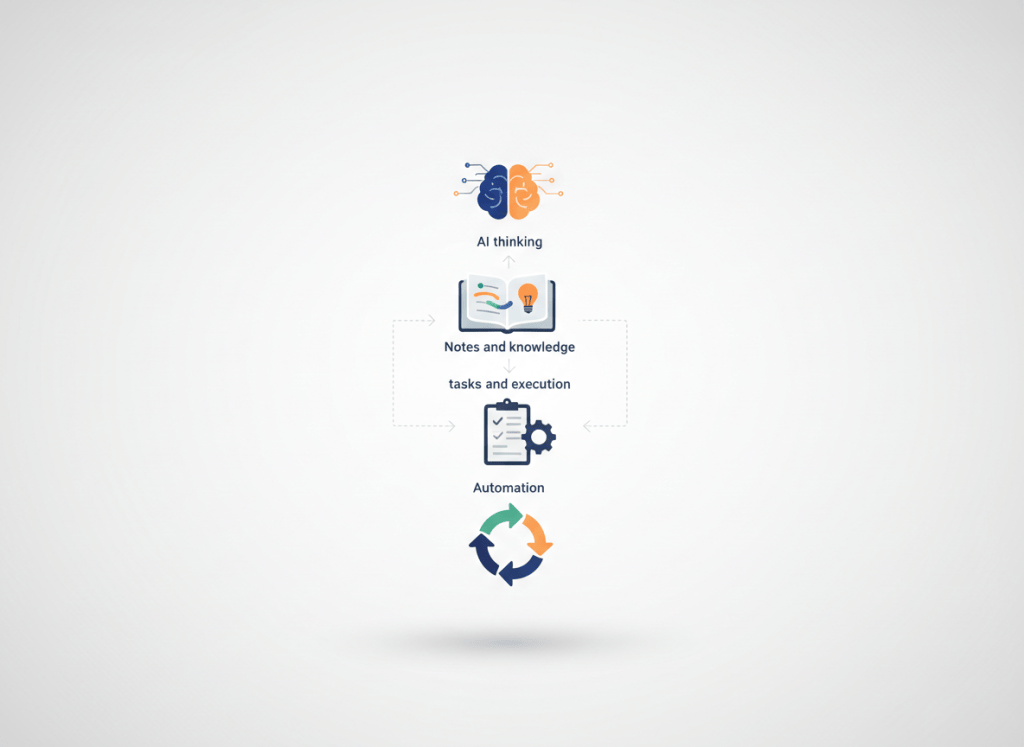
A better setup is smaller. Think of it as four jobs: thinking, remembering, executing, and automating. One clear tool can own each job.
A simple four-part stack
| Role | What it handles | What success looks like |
|---|---|---|
| Think | Drafting, research support, summarizing, brainstorming | You get to a useful first version faster |
| Remember | Notes, meeting context, references, reusable information | You know where to find things later |
| Execute | Tasks, priorities, projects, deadlines | You know what happens next |
| Automate | Repeated handoffs and admin work | Routine work disappears from your attention |
This is not a rule that every person needs exactly four apps. One product may cover two roles well. The point is that every part of the system should have a clear owner.
Start with the work you already do
Before adding software, look at a normal week. Where do you lose time? Which information do you keep hunting for? What gets forgotten? What do you copy from one app into another?
Those small frustrations are more useful than a list of trendy tools. If you spend ten minutes after every meeting rewriting notes into tasks, that is a workflow problem worth fixing. If you open a second AI app once a month because someone on social media recommended it, that probably is not.
Choose one default AI assistant
The main benefit of an AI assistant is not having the “best” model every day. It is reducing the time between a blank page and something you can work with.
Use one assistant as your default for routine drafting, summarizing, idea generation, and explanations. Learn its strengths and its failure modes. A second assistant can make sense for a specific job, but only when that difference matters often enough to justify another tool.
If you constantly send the same prompt to several models and compare every answer, the comparison itself becomes part of the workload.
Give reusable information one home
Most note systems fail because they become storage rather than memory. Everything gets saved, but very little can be found when it matters.
Keep the material you expect to reuse: meeting context, project decisions, research, useful prompts, recurring procedures, and references. The exact app matters less than having one place you trust as the source of truth.
One useful distinction
If something helps you understand the work later, it belongs in your knowledge system. If it requires action, it belongs in your task system. If it does neither, it may not need to be saved at all.
Keep tasks boring
A task manager should not be interesting. It should be obvious.
For many people, an inbox, a few projects, due dates when they actually matter, and a daily or weekly view are enough. Extra labels, dashboards, automations, and custom fields are useful only when the simpler version stops working.
The same principle applies to the rest of the stack: complexity should solve a problem you already have, not a problem you imagine you might have later.
Automate the dull parts, not the uncertain parts
Good automation is usually boring. The input is predictable, the output is predictable, and the process happens often enough to matter.
- Turn a form submission into a task.
- Move structured data into a spreadsheet or database.
- Create a recurring summary from the same type of report.
- Send routine reminders or status updates.
- Generate a first draft from a fixed brief.
What should not be automated first? Work that changes every time, decisions that need judgment, or processes you have not yet figured out manually.
A 30-minute reset
If your current setup feels messy, you do not need a weekend rebuild. Give yourself half an hour.
- List the five recurring desk tasks that consume the most time.
- Pick one default AI assistant.
- Choose one place for notes and reusable context.
- Choose one place for tasks.
- Identify one repetitive handoff that might be worth automating later.
- Pause one overlapping app you rarely use.
Then leave the system alone for two weeks. You will learn more from using a simple setup than from endlessly redesigning it.
The real cost of tool overlap
Overlapping tools cost more than subscription fees. They create decisions: where should this note go, which task list is current, which assistant should I use, which version of the document is the right one?
A useful rule is “one in, one out.” If a new tool enters the stack, it should either replace something or take ownership of a job that was previously unserved.
How to tell whether the stack is working
Ignore feature counts. Look at the work.
- You switch between fewer apps.
- Important information is easier to find.
- Tasks are less likely to disappear.
- Recurring documents take less time to produce.
- You are paying for fewer tools you barely use.
If none of those things improve, adding another app is unlikely to help. Simplify first.
A few common questions
Do I need paid AI tools?
Not automatically. Upgrade when a paid feature removes a recurring limitation that is costing you meaningful time. A feature you use twice a month is rarely a strong reason on its own.
Can notes and tasks live in the same app?
Yes. What matters is that the roles remain clear. Information you may need later and actions you must take next are different things, even when the same product stores both.
What should I automate first?
Start with something frequent, predictable, and low-risk. If you can describe the process in a few simple rules, it is usually a better candidate than work that requires judgment every time.
The point of the stack
A good productivity system fades into the background. You know where information goes, you know where work goes, and you do not have to make the same small decisions all day.
The goal is not to own fewer tools for the sake of minimalism. It is to remove enough friction that the tools stop becoming a project of their own.
Next: see our comparison of AI meeting assistants for small teams, or browse AI Tools and Automation.

Leave a comment