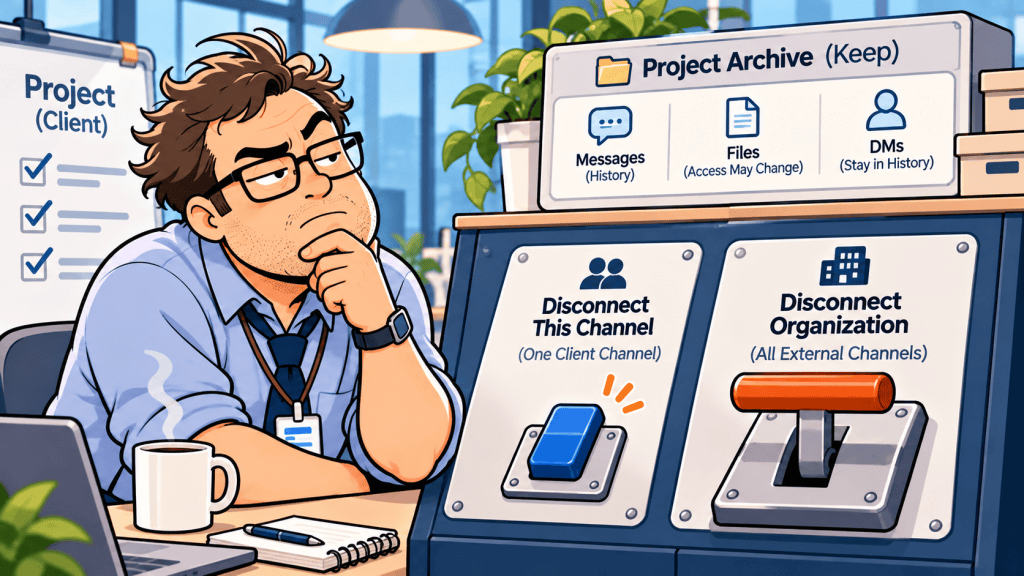
A design agency closes a six-month client project. The final files have been approved, but the shared Slack channel still contains briefings, drafts, decisions, and people from two companies. Someone suggests archiving the channel. Someone else suggests disconnecting the client entirely.
Those are not equivalent actions. According to Slack’s organization-removal guidance and disconnect guidance, the right exit depends on whether you are ending a project channel, a direct conversation, or the entire company relationship. A connection ending does not create a portable archive of everything the two companies exchanged.
Slack Connect offboarding, in brief: If only one client project has ended, remove the external organization from that Slack Connect channel after retaining any required records. If the entire client relationship is finished, an authorized admin can disconnect the organization across Slack Connect channels and DMs. If only a one-to-one conversation should stop, end that DM. In each case, check files and retention settings before you make the change.
Remove a channel, end a DM, or disconnect the company?
| What you need to end | Action to consider | What it does not automatically settle |
|---|---|---|
| One project channel | Remove an external organization from that channel | Other shared channels and possible DMs may still connect the companies |
| The entire company relationship | Disconnect the organization | Review retained records and files from the other company first |
| One direct message | End that external DM | Other shared channels and contacts may continue |
This is a workflow decision, not a question of which menu item is quickest. Slack says the owning organization can continue using its channel after the other organizations leave, and a disconnected organization may retain an archived read-only channel copy depending on permissions. Those are significant details for an agency that promised its client a permanent handoff or a specific retention period.
Which company owns the channel, and what happens after removal?
A Slack Connect channel belongs to the organization where it was created. That channel owner controls which organizations can be invited, removed, and granted posting permissions. A project agency and its client may share the conversation, but they do not jointly own the channel’s administrative lifecycle.
If your agency owns the channel, it can keep using the channel after the client is removed. If the client owns it, your agency should not assume its own team will retain a working copy. Slack’s documentation says invited organizations with the broader post, invite, and more permission may see an archived copy of the channel after removal, while post-only organizations do not get that archived copy. An archived copy is not an editable, ongoing project workspace.
Less obvious is the file problem: files added by members of the other organization become inaccessible when that organization is removed or disconnected. The conversation may survive as an archived record while its file attachment is no longer accessible. Preserve required deliverables in the agreed repository before the relationship changes; do not treat the Slack channel as your final document archive.
For external-client collaboration generally, Microsoft Teams shared channels versus guest access is a different identity and ownership model. The appropriate exit process depends on the platform you actually used.
File retention is not the same thing as file access
Two questions often get collapsed into one: Does the message or file still exist? and Can our team still open it? Slack treats these separately.
In Slack Connect, each organization applies its own message and file retention rules to content sent by its own members. Your agency’s retention setting does not control the client’s messages and files, and the client’s policy does not control yours. Slack also states that messages can only be edited or deleted by someone in the organization that sent them. Those boundaries matter when you promise to preserve a joint decision log or remove a sensitive draft.
Disconnecting an organization can leave archived conversations while making files posted by the other party inaccessible. Thus even an archived channel does not prove that its linked working materials are intact. Conversely, retained files should not be mistaken for authorization to reuse a client’s intellectual property. Follow your contract, consent terms, and records policy, not just software defaults.
A useful handoff rule: identify the approved final deliverables, save them in the agreed organization-controlled location, capture any decisions that need to survive, and verify that the receiving party can open the handoff copy. Only then change Slack Connect access.
That is the same distinction between delivery and acceptance explored in our Dropbox Transfer versus Google Drive guide: a file being available or downloaded is not proof that the client approved it.
A small-agency closeout workflow that does not destroy context
Imagine three projects with the same customer. A brand redesign finished this morning, but a website build and a monthly retainer are still active. The client’s external project manager is in all three Slack channels.
Disconnecting the entire organization would be disproportionate. A channel-specific removal is the more targeted action, assuming the records have already been handed over.
Before changing access, give the closeout one internal owner. Record these checks in the project tracker:
- Scope: the exact channel and external organization, plus any other active channels or DMs.
- Evidence: where the signed-off deliverable, approval date, and agreed changes are stored.
- Files: whether any required source files were uploaded by the client rather than your team.
- Permissions: who can remove the organization, and whether the invited party may retain an archived read-only channel copy.
- Confirmation: who will tell the customer what access ended and what channel remains available for future requests.
Slack’s remove-organization route is inside the channel settings, under Organizations, for users with permission to manage the connection. This is not the same as deleting a channel. After removal, review the remaining participants and explicitly confirm that other engagements still have the right access.
For work items that should survive chat, assign their owner outside the conversation. Our guide to turning Slack reactions into duplicate-safe Asana tasks explains why creating a task record without a stable source reference leads to duplicate work.
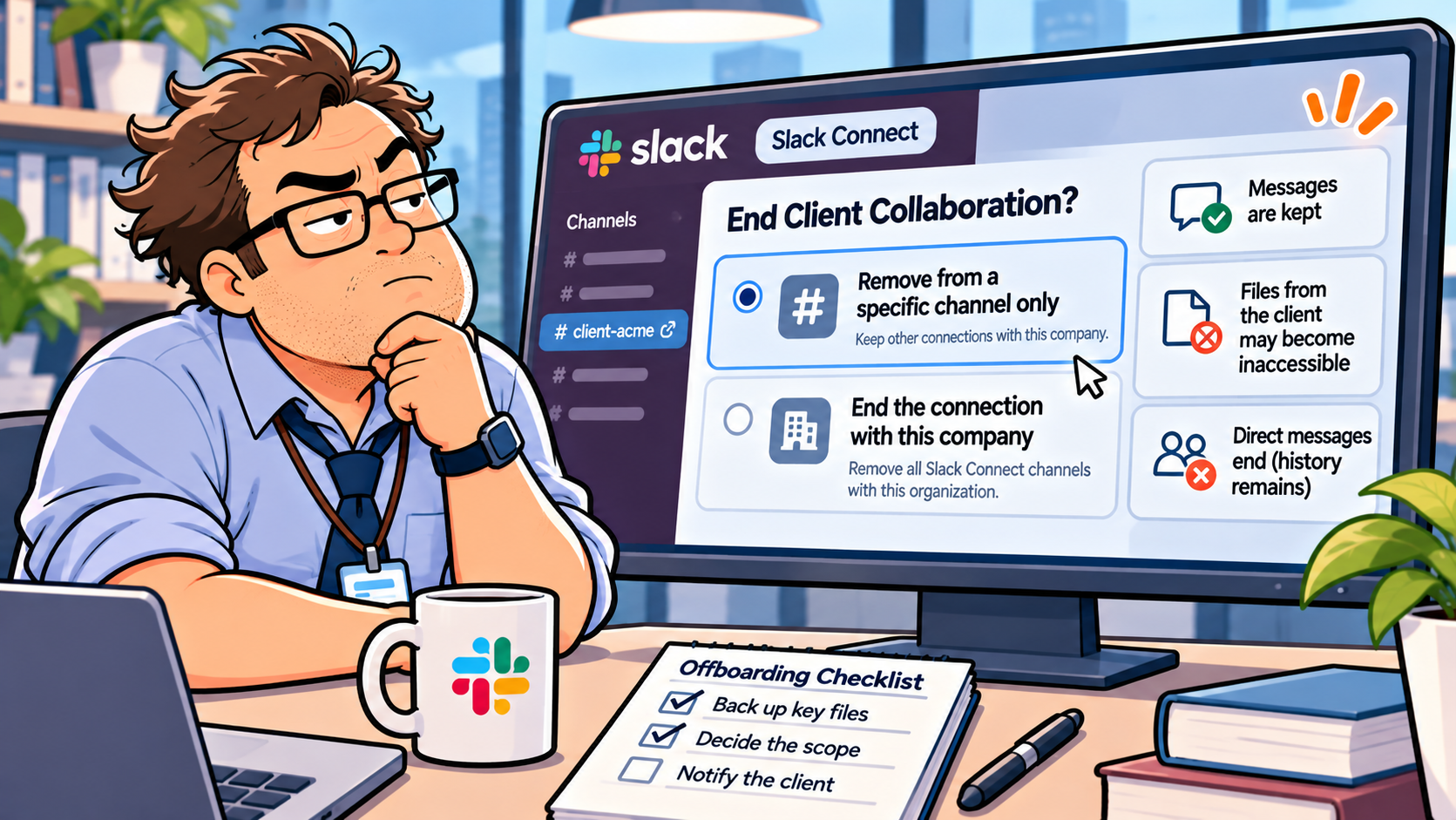
Bob’s field note: The client, not the agency, uploaded the approved logo package. The channel might remain visible after a connection ends, but that uploaded file may not. Copying an authorized final package into the agreed delivery location before removal is much easier than asking for it again after offboarding.
When the whole relationship ends: use disconnect deliberately
Slack offers an organization-level Disconnect action for ending communication across Slack Connect channels and DMs with a particular organization. Its guidance says the action affects all channels, including ones owned by a third company, and cannot be undone. DMs are archived for everyone, with message history remaining, and the disconnected channel continues to be usable by its owner.
This affects more than one project channel. It can be appropriate when a service contract ends, when access is being revoked as part of a vendor exit, or when a company is consolidating its external collaboration systems. It is a poor substitute for project housekeeping while other teams are still doing business with the same customer.
Have your workspace owner or admin review the organization-level connections before proceeding. If there are parallel projects, check with their owners rather than assuming the shared company name means the same scope of work.
The customer should receive a brief factual closure message through an approved communication channel: which project is finished, where final documents live, when Slack collaboration will end, and who to contact afterward. You do not need to send them a technical description of your admin settings.
What if you only want to end a direct message?
You can end an external Slack Connect DM without disconnecting the entire organization. Slack states that the DM becomes archived and prior messages and files remain viewable. Other channels and conversations may remain available. Ending a DM therefore reduces a contact path; it is not a global access-removal procedure.
If the person has left the customer company, consider whether a workspace administrator needs to review that external person’s access more broadly. Slack offers external-person disconnect controls on certain higher-tier plans. Check the permissions attached to your actual plan before promising a person-specific removal.
Plan limitations worth checking before you invite the next client
Slack’s general rule is that participating organizations use paid plans for Slack Connect channels. One documented exception is an Enterprise-hosted channel that admits an invited free workspace under the applicable admin setting. Free teams in that arrangement cannot send invitations to additional organizations. The exception does not mean a free team can freely initiate Slack Connect channels. Slack Connect DMs have different availability rules and are available on all plans.
These differences make project setup a useful time to discuss project exit. Ask whether the client is using a paid Slack workspace, who owns the channel, who can approve external invitations, and where permanent records will live. Do not make your project archive depend on an external organization’s subscription choice.
If your partners already use Microsoft 365 instead of Slack, our Teams guest offboarding checklist covers why removing channel membership and revoking separate SharePoint links are two different tasks.
Five questions to ask before calling it closed
You should be able to answer, without opening three chat threads: Is the client project closed? Who owns the records? Can the designated client contact access the agreed files? Which Slack Connect channels and DMs remain intentionally active? And who is authorized to request re-access?
If any answer is uncertain, postpone the access change long enough to resolve it with the workspace owner or project lead. The cleanest exit is one the project owner and client agreed to when the channel was opened.
Source note (reviewed November 10, 2026): This is a documentation-based workflow guide, not a report of hands-on testing. Slack’s official help articles explain channel ownership and plan conditions, removing an organization from a channel, disconnecting an organization, ending an external DM, retention and deletion rules, and Enterprise invitations to free teams. Features and administrative controls can differ by plan and organization policy.
WTA VERDICT
For a completed client project, remove only the relevant Slack Connect channel relationship after transferring the records you need. Use an organization-wide disconnect only when every engagement with that company is finished and the responsible owners agree. An archived conversation is not a guaranteed archive of all external files.
3-Line Takeaway
- One project ended: remove the external organization from that channel, not every company connection.
- All collaboration ended: review files and active projects before the admin disconnects the organization.
- Keep the record separate: put approved deliverables and decisions in the agreed repository, not only in Slack.

Leave a Reply