
Short answer: For an agency working with clients who already live in Slack, Slack Connect is usually the simpler conversation-first option. For two organizations already committed to Microsoft 365, Teams shared channels can keep discussion and project files inside the Microsoft environment, but only after both IT teams allow cross-tenant collaboration. Neither gives you a permanent client file archive just because messages were exchanged there.
The choice becomes much clearer when you stop asking “Which chat app is better for everyone?” and ask four smaller questions: Who must approve access? Where will the final files live? What happens when the contract ends? Who pays for the seats? This guide is for agencies, consultancies, and small service teams managing ongoing client projects, not for replacing the company’s entire internal messaging system.
The decision in one table
| What matters for a client project | Slack Connect | Microsoft Teams shared channel |
|---|---|---|
| Client experience | External people collaborate in a channel from their own Slack workspace | External participants use their own Microsoft 365 work or school account; no tenant switch for that shared channel |
| Getting started | Channel invite and any required workspace or admin approval | Both organizations must configure Microsoft Entra B2B direct connect; Teams policies must allow the connection |
| Personal Gmail client | A channel is not a universally available guest link; verify the client’s Slack workspace and plan | Not suitable for an external participant without a work or school Teams account |
| Where shared materials live | Messages and uploaded files live within Slack subject to each organization’s settings; linked cloud files have separate permissions | Channel files live in a separate SharePoint site associated with the shared channel |
| When collaboration ends | Channel or organization disconnect can affect retained channel copies and access to external uploads | Remove shared-channel membership and inspect separate SharePoint permissions and file links |
| Best starting point | Both sides use Slack and the work is primarily ongoing discussion | Both sides use managed Microsoft 365 and need collaborative Office documents |
This isn’t a scorecard about which product has more features. It’s a map of the points at which a project can stall. Slack documents channel invitations and access; Microsoft documents the identity and cross-tenant requirements.
First, can the client get in?
For a short-term creative project, onboarding friction can outweigh every clever integration your team has bought.
Slack Connect: an invitation, with plan and policy caveats
A Slack Connect channel lets staff from different organizations collaborate without adding the customer as a regular member of your entire workspace. The client sees the shared channel within their own Slack environment, subject to the access their organization allows. Channel invitations and external-org approvals can be controlled by administrators, so “send an invite” isn’t always the last step.
Slack’s external partner guide describes Slack Connect channels as a paid-plan feature. There is a relevant exception: Enterprise organizations can invite free-workspace teams under the specified Enterprise settings. Don’t promise every free Slack user can create or accept any shared-channel invitation. A client without a workable Slack organization may need email, a portal, or a different route.
Teams shared channels: no guest account, but a two-tenant handshake
A Microsoft Teams shared channel exposes a specific channel, not the entire parent team. External participants use their own managed Microsoft Entra account; Microsoft says they don’t need to switch between organizations to participate. That is distinct from Teams guest access, where the host creates a guest account in its tenant.
The catch is administrative: both organizations must permit B2B direct connect in Microsoft Entra, and Teams policies must allow shared-channel participation. The client needs a Microsoft 365 work or school Teams account. An agency cannot fix the other company’s cross-tenant policy on its own. Microsoft details these prerequisites in its shared channels overview and external collaboration plan.
If the client’s IT department cannot configure this within the project’s timeframe, compare ordinary Teams guest access instead. Our separate Teams shared channels vs guest access guide covers that decision in detail. It isn’t honest to recommend shared channels to every client who happens to have an Outlook email address.
File ownership is the more expensive mistake
Imagine an agency delivers a strategy deck, three design exports, and a final client decision recorded in chat. Six months later, the client wants to change the deck. Can the agency still locate the approved version and prove which materials it handed over?
In Slack Connect, there are two different classes of files. A file uploaded into the conversation is governed by Slack’s shared-channel and retention model. A Google Drive, Dropbox, or other cloud link in a message is still governed by the source service’s permission settings. Slack explains that each organization’s retention settings apply to material sent by its own members. That difference matters when a partner’s retention policy changes or a connection ends.
Slack also warns that files uploaded by people in another organization can become inaccessible when the organizations disconnect. A readable message saying “Final_v4 attached” isn’t proof the attachment is still retrievable. Designate a controlled project repository and put accepted deliverables there before you revoke channel access.
In Teams shared channels, Microsoft says each shared channel has its own SharePoint site, whose membership is synchronized with channel ownership and membership. A file stored there is not just an attachment inside a chat transcript. That makes ongoing document collaboration appealing, especially for Office-based teams, but it also means you need to understand the site’s lifecycle. Microsoft cautions that a file or folder granted access independently through SharePoint may remain accessible even when the person is removed from the team or channel. See Microsoft’s shared-channel file access considerations.
For a client project, neither “the channel is gone” nor “the customer left” is a complete file-access test. Verify the real file location, its access list, separate sharing links, and your approved archive.
Where each tool actually wins
Choose Slack Connect when client communication is the work
It suits ongoing agency relationships where briefs, feedback, quick approvals, and status questions arrive throughout the week. A dedicated channel can make those exchanges easier to find than email threads. This is a fit judgment, not a measured claim that Slack makes teams faster.
A sensible starting pattern is one clearly named client channel per active engagement, an internal owner who approves external membership, and a project system for final decisions and deliverables. As soon as a conversation becomes a task with an owner and due date, move it into the team system rather than assuming a Slack reaction equals an assignment. Our Slack-to-Asana duplicate-safe workflow shows a way to avoid accidental duplicate tasks.
Slack Connect is less attractive when a client is unwilling to use Slack or your organization expects the chat transcript to serve as its sole official project record. Don’t force a new chat workspace on someone who only needs to upload a signed document once.
Choose Teams shared channels when files and Microsoft 365 identity lead
This is more compelling when both companies have Microsoft 365 work accounts, administrators support cross-tenant access, and the work revolves around jointly edited Word, Excel, PowerPoint, or other documents stored in SharePoint. Channel membership and the dedicated SharePoint site offer a clearer default working location for files than scattered links in chat, provided permissions are managed correctly.
The trade-off is setup. A Teams shared channel isn’t a shortcut around Entra controls, and it isn’t a standalone public client portal. If your client can’t meet the prerequisites, Microsoft’s own guidance points you toward guest collaboration or separate file sharing instead.
Cost: don’t compare the wrong number
As of November 11, 2026, Slack’s US Pro pricing page lists $7.25 per active user per month billed annually, or $8.75 billed monthly. Its channel-based external collaboration is described as a paid feature, with the Enterprise/free-team exception noted above.
Microsoft’s US Teams business comparison lists Teams Essentials at $4 per user per month billed yearly and Microsoft 365 Business Basic with Teams at $7 per user per month billed yearly. These are reference prices, not identical substitutes: Essentials is meeting-oriented with different storage and app entitlements; availability of the exact shared-channel workflow depends on the tenant, identity, SharePoint, and administrator configuration. Verify licensing with your reseller or tenant admin before purchasing for this use case.
For an agency with three internal collaborators, the published annual-billing reference rates work out to $21.75 per month for three Slack Pro users, versus $21 per month for three Microsoft 365 Business Basic users with Teams. That illustration excludes client-side licensing, taxes, geography, existing subscriptions, add-ons, and any procurement arrangements. It does not imply that paying the lower figure unlocks shared channels with every customer.
The more useful cost question is: Will you be adding software, or using access you and the customer already have? The time spent coordinating cross-tenant settings or asking a client to join an unfamiliar workspace is a real project cost, even if it doesn’t appear on the invoice.
Run a client-access dry run before launch
Before choosing a tool for a new engagement, ask your client contact and internal admin to confirm these five things:
- Client identity: Which address will each external participant use? Is it a managed work account, and in which company directory or Slack workspace?
- Authority: Who can approve the invitation and alter external-collaboration policies on both sides? Has anyone actually agreed to do it?
- The file home: Which system will hold the approved deliverables, and who owns that repository after the project manager leaves?
- Access scope: Can a client open the intended channel and sample document without seeing unrelated internal work? Test with an actual authorized client account, not an admin preview.
- The exit: Who removes the connection, checks surviving links, and saves the signed-off materials when the engagement closes?
Do this before promising a collaboration method in the statement of work. If the client needs only file delivery rather than months of discussion, the decision may be neither Slack Connect nor shared channels. Our Dropbox Transfer vs Google Drive delivery guide covers that smaller job.
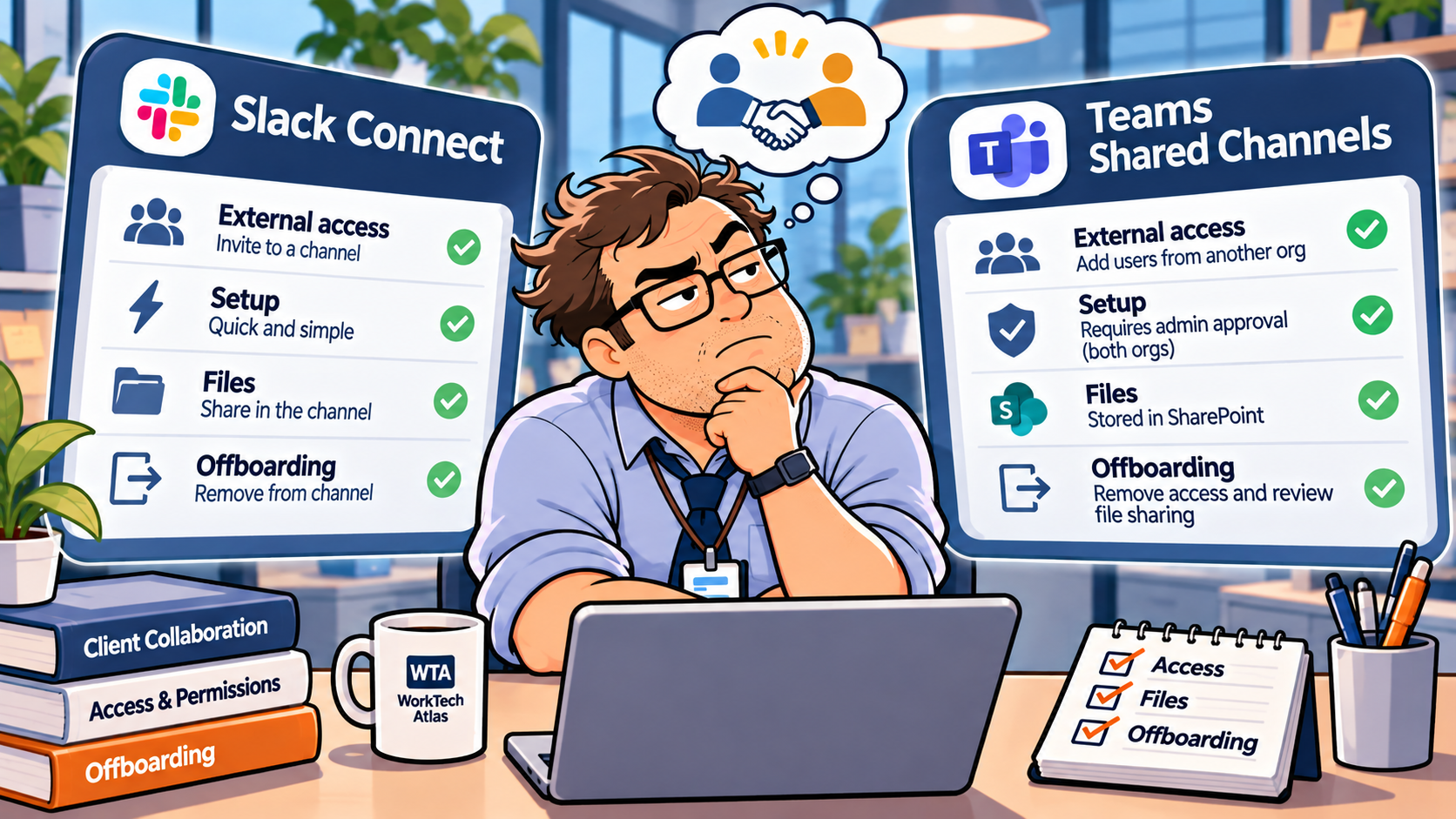
Bob’s field note: The colleague who says “I removed the customer from the channel, so we’re finished” still has one job: check the underlying file permissions. A disappearing channel tile and a revoked document link are different events.
Close the project without losing its history
Slack Connect: Export or preserve what your plan, permissions, and policies allow; place final approved deliverables in the agency’s canonical repository; list any customer-uploaded files you still need; then remove the specific client channel or disconnect the organization only if the whole relationship is ending. Slack warns that a full organization disconnect affects all shared connections and external uploads may no longer be accessible. Our Slack Connect offboarding guide explains that scope in more detail.
Teams shared channel: Capture the approved files, decisions, and handoff records from the channel’s SharePoint site; remove the external members through Teams; verify site permissions and separately granted file links; confirm the client can no longer reach anything they shouldn’t. If the relationship instead used a Teams guest account, follow the separate guest offboarding process, not the shared-channel instructions. See our Teams guest offboarding checklist.
The governing rule is simple: a client collaboration channel is a workspace, not necessarily your final archive or a substitute for a retention policy. Channel history should not be treated as legal or contractual evidence without your own records and retention review. Keep records according to your contractual obligations and your organization’s approved controls.
WTA VERDICT
Pick Slack Connect when both sides already use Slack and the project is conversation-heavy. Pick Teams shared channels when both sides have managed Microsoft 365 accounts, administrators can enable B2B direct connect, and the work depends on shared Office documents. If your client has neither environment, choose an appropriately permissioned file portal or guest-access route rather than insisting on either channel model.
3-Line Takeaway
- Access: Slack Connect centers on an external channel invitation; Teams shared channels require two organizations’ Entra configuration.
- Files: Slack uploads, outside cloud links, and Teams SharePoint files have different access and retention paths.
- Exit: Archive what you need, revoke channel access, then test document permissions separately.

Leave a Reply