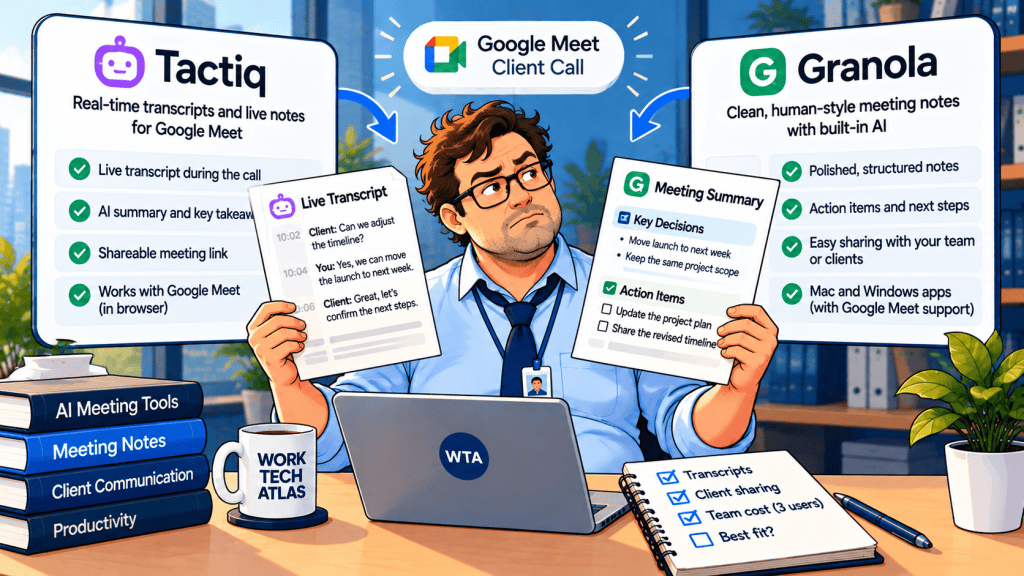
A three-person consultancy finishes a Google Meet call. The account manager needs a readable recap; the delivery lead wants to check the exact wording of a deadline; the client only wants the agreed next step. These are three different documents, even though they came from the same conversation.
Tactiq and Granola both offer no-bot capture, but they preserve different working artifacts. But picking one by its summary quality alone misses the handoff that matters: who can inspect the underlying words, who receives the recap, and what happens when access needs to be revoked.
Tactiq vs Granola: the Google Meet client-call decision
Choose Tactiq when a live, searchable text transcript is the working document. Its Chrome or Edge extension shows speech as text during Google Meet and lets you share or export the result. Choose Granola when the working document is a reviewed meeting note. Its device-audio capture enriches your own rough notes, without adding a meeting bot. Neither should be treated as an infallible record of contractual promises.
| Decision point | Tactiq | Granola |
|---|---|---|
| Primary handoff | Live transcript, then AI outputs | Human-edited recap with transcript context |
| Google Meet capture | Desktop Chrome/Edge extension | Device-audio app; not tied to a browser tab |
| Client-facing sharing | Transcript access or export; account required for in-app link | Share reviewed notes; guest link is not the same as full transcript access |
| Small-team collaboration | Team plan for automatic transcript sharing | Shared folders on Basic; Business for full history |
| Audio playback | No meeting audio recording from live transcription | No saved meeting audio |
That is a workflow comparison, not an accuracy ranking. We have not run a controlled transcription test, and neither vendor’s marketing materials establish how either tool performs on your clients’ accents, audio setup or terminology.
Live transcript or client-ready recap: what actually leaves the call?
Tactiq’s value is visible while the call is happening. A live transcript appears in its meeting widget and the text is saved to My Meetings afterward. You can search, export and share it, or ask AI to pull out next steps. That is useful when someone asks, “Did the client say Friday or next Friday?” You can inspect the relevant text instead of trusting a polished summary. Tactiq’s Google Meet instructions describe the live workflow.
Granola starts from a different habit: you type a few rough notes during the call and let the app enhance them with transcript context afterward. Its reviewed note can be more suitable for a client recap because the author decides what to emphasize. The transcript still matters as a source for checking a disputed statement; access to complete history and transcript retrieval varies by plan. See Granola’s note-taking guide and its current plan table.
Imagine a renewal call in which the client says, “We can target the 18th, provided legal clears the terms.” A raw transcript may preserve both the date and the condition. A careless AI summary might shorten it to “Launch on the 18th.” Before anyone creates a task or sends an invoice, a human should restore that condition and confirm it with the client.
For a deeper comparison of Granola’s reviewed-note approach against a bot-based meeting system, read our Granola vs Fireflies client-call guide. Here, the choice is more specific: do you need the live transcript or the edited recap to travel to the next person?
The Google Meet setup can decide the purchase
Tactiq works with Google Meet in a desktop browser using Chrome or Microsoft Edge and its installed extension. Its current setup guide says captions do not have to be switched on for normal transcription. An older troubleshooting article advises enabling captions when a meeting does not transcribe. Rather than assume either instruction applies to every account, confirm that words actually appear in the Tactiq widget before a real client joins. Troubleshooting guidance also covers extension permissions.
Granola captures audio from the device rather than depending on the Google Meet browser tab. That is useful if some teammates take calls in a desktop meeting app, or if a client switches platforms at short notice. It also means testing microphone and speaker permissions is essential. Its product plan page lists desktop and mobile apps, but a mobile capture workflow is not interchangeable with a desktop Google Meet trial.
Both tools avoid a named bot joining the participant list. That does not remove the need to tell participants about transcription or obtain permission where required. Tactiq can post an automatic meeting-chat notice; its Free plan keeps that notification on, while paid plans offer controls. Granola recommends disclosure and lists a participant-notification option. Ask before capturing a sensitive call rather than treating a missing bot as permission.
Sharing is the real client-access test
Tactiq offers email invitations, Spaces and shareable transcript links. According to its sharing documentation, a person opening a transcript in the product needs a Tactiq account. A copied link alone does not grant access if the owner requires an invitation. The alternative “anyone with the link” setting broadens access to signed-in Tactiq users who possess the link; it is not a private client-only invitation.
Tactiq Team adds automatic sharing into a Space, but the setup guide says each teammate enables it individually, and it applies to future meetings rather than old ones. A manager buying three seats should not assume one admin toggle retroactively shares the whole archive. Test a new call and a previously captured call separately.
Granola notes begin private and can be shared by link or team folder. Its customer-research guide distinguishes guest access to a shared summary from full-transcript access. That distinction matters if a client asks for every word of the conversation. A shared recap is not necessarily a transcript export, and adding a client to an internal folder may expose unrelated calls if permissions are too broad. Use a purpose-specific note and the narrowest access setting that meets the request.
Bob’s field note: A share link is not an access policy. Before sending it, open it as a non-team recipient and check exactly what the person can see.
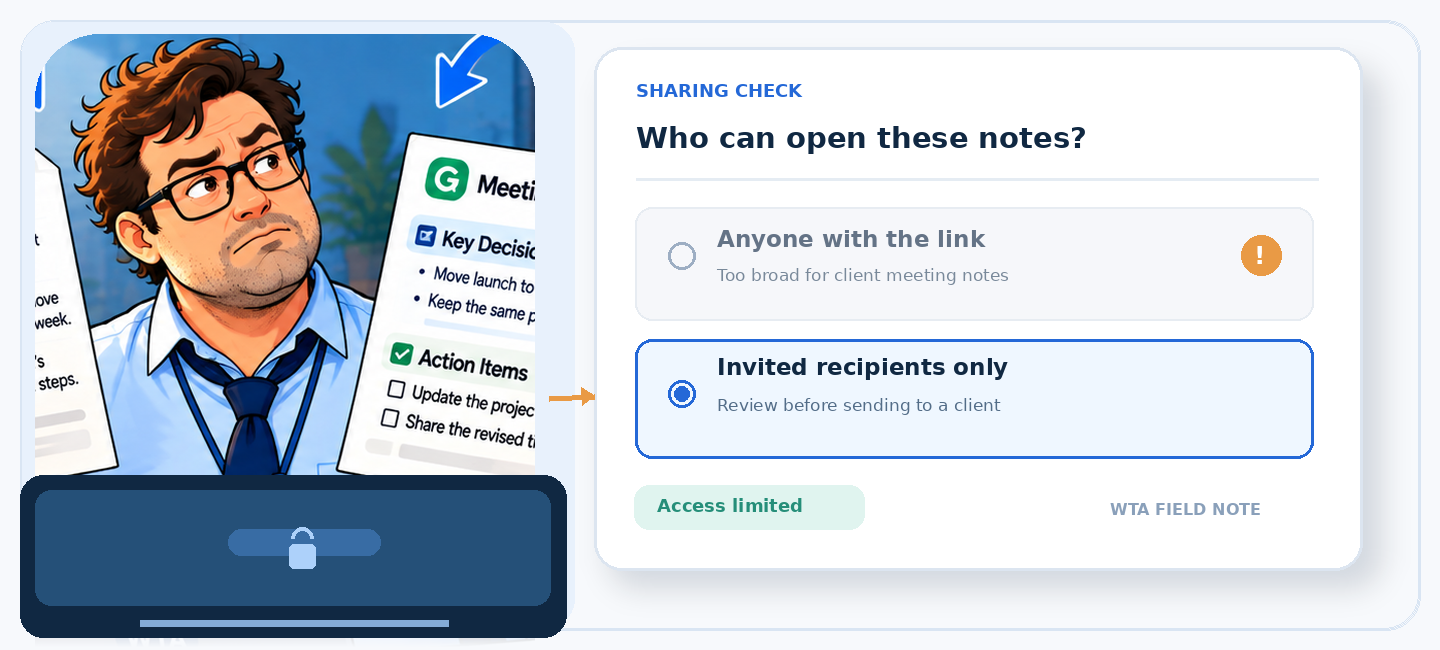
For either product, first ask the client what they actually need: a decision summary, a quoted passage, or a formal recording. Neither tool provides audio playback for its live no-bot transcription workflow. If an exact quote could affect a contract, use the transcript as a working reference and ask both parties to confirm the final wording in writing.
Three seats: the cost of transcripts versus collaboration
Prices below are public USD reference rates checked on November 1, 2026. Tactiq’s official pricing guide publishes annual and monthly USD rates; its website may show a localized currency. Granola’s plan page lists monthly USD pricing. Taxes, regional checkout prices and promotions are excluded.
| Plan and reason to consider it | Rate shown | 3 people over 12 months |
|---|---|---|
| Tactiq Free: light transcript needs | 10 transcripts + 5 AI credits/user/month | $0 if limits suffice |
| Tactiq Pro: unlimited transcripts, manual sharing | $8/user/month, billed annually | About $288, paid annually |
| Tactiq Team: auto-share and unlimited AI credits | $16.67/user/month, billed annually | About $600, paid annually |
| Granola Basic: unlimited meetings, recent history | $0; history limited to 30 days | $0 if limits suffice |
| Granola Business: full history and advanced integrations | $14/user/month, billed monthly | $504 across 12 monthly payments |
The $288 Tactiq Pro figure is tempting, but Pro is not a substitute for Team if automatic sharing is mandatory. Pro also includes only 10 AI credits per user each month, while Team lists unlimited credits.
Tactiq Team costs about $96 more than twelve months of Granola Business for three people, using these displayed rates. That is not an annual-contract-versus-annual-contract comparison: one is billed annually, the other monthly.
If the consultancy has one person capturing calls and two people only reading selected recaps, do not automatically buy three paid seats. First verify the actual sharing, access and license rules with each vendor. A guest who can open a summary is not necessarily a licensed collaborator who can run AI queries, manage a Space or edit notes.
Run a five-call pilot before migrating meeting history
A polished product demo rarely shows the awkward handoff. Use internal mock calls with invented client names and non-sensitive material, then inspect the resulting artifacts. You do not need a numerical “accuracy score” to answer the buying question.
- Call one, ordinary discovery: Can the owner capture a meeting without troubleshooting while the client waits? Verify the actual live transcript or note, not just a successful calendar connection.
- Call two, conditional promise: Say a date with a qualification. Check whether the recap retains the qualification and whether the team can find the source passage.
- Call three, external reviewer: Share only the intended document with an outside test account. Check sign-in requirements, guest visibility and whether a full transcript is exposed.
- Call four, teammate handoff: Have a second employee find the call after the owner is unavailable. Test the Tactiq Space or Granola folder rather than forwarding screenshots.
- Call five, deletion and revocation: Remove a test recipient’s access, archive or delete the test transcript, and verify any copied CRM, Slack or email recap separately.
The last test is especially important. Our AI meeting-note deletion runbook explains why removing a note from one app does not necessarily remove copies already sent elsewhere. If the pilot also generates tasks, put a human approval step between the summary and task creation; see our meeting-notes review gate.
Which tool should the team choose?
For a Google Meet-heavy consulting team that wants a readable transcript during the call and needs to export or inspect specific passages afterward, Tactiq is the more direct shortlist candidate. Start with Free, then compare Pro against Team only if automatic sharing or higher AI usage changes the workflow. Be explicit about the client’s sign-in requirement for shared in-app transcripts.
For a team that takes many calls across platforms, prefers to write a few points during the meeting, and wants to share edited recaps in a searchable team history, Granola is the more natural shortlist candidate. Business becomes relevant when the 30-day history limit or advanced integrations matter. For clients who demand full transcript delivery, verify the specific export or access route rather than assuming a guest summary link is sufficient.
Neither choice is automatically right for calls requiring an auditable audio recording, legal-grade verbatim evidence or centrally enforced retention policies. Those requirements deserve a separate procurement review. Our Fathom vs Granola comparison explains why the ability to replay a recording changes the product decision.
Sources and editorial scope
This is a documentation-based comparison, not a hands-on test or sponsored recommendation. Product behavior and USD prices were checked against official vendor material on November 1, 2026. Primary references: Tactiq plans, Google Meet setup, transcript sharing, Team auto-sharing, Granola plans and external guest access. Recheck your region’s checkout and account-specific settings before purchasing. No affiliate relationship or referral link is claimed.
WTA VERDICT
Buy the handoff, not the AI label. For client calls where colleagues must verify exact phrasing, shortlist Tactiq and test transcript access. For client calls where a reviewed summary is the deliverable, shortlist Granola and test the sharing boundary. If a client requires the original audio, neither text-first workflow should be mistaken for a recording archive.
3-Line Takeaway
- Tactiq is transcript-first in Google Meet; Granola is reviewed-note-first across device audio.
- A share link may expose a summary, require an account, or broaden access: test the recipient view.
- For three users, compare Tactiq Pro (~$288/year), Team (~$600/year) and Granola Business ($504 over 12 months) by the collaboration feature you need.

Leave a Reply