
A client watches the third cut of a launch video and replies, “Approved.” The editor then fixes a typo and replaces the file. The review link still works, but what exactly has the client approved: the third cut, the new export, or whatever the link happens to display tomorrow?
That is the useful question behind Frame.io vs Vimeo Review for client video approvals. Both can collect time-specific feedback without forcing every client into a paid team seat. Their version models, access controls and pricing assumptions are different. Vimeo’s October 2026 subscription overhaul also makes the purchasing decision easy to misread, especially for a company comparing an individual creator tier with an agency subscription.
Short answer: Start with Frame.io when your editors need a dedicated review workspace with stacked versions and granular share settings. Start with Vimeo Review when you also want to manage video distribution and keep a familiar video URL through replacements. Neither platform turns a moving review link into a permanent record of exactly which file was approved. Keep a separate sign-off record for the release version.
Research scope: Official Frame.io V4 and Vimeo support and pricing documents reviewed November 16, 2026. This is a documentation-based comparison for freelancers and small creative teams, not an account test, legal opinion or performance benchmark. Prices are public U.S.-dollar references before tax; account eligibility and regional offers may vary.
Frame.io vs Vimeo Review: quick comparison for client approvals
| Client-review question | Frame.io V4 | Vimeo Review |
|---|---|---|
| Can a client comment without a team seat? | Yes, through an external Share link; reviewers do not need an account | Yes, through a review link; guests enter name and email to comment |
| What happens after a new cut? | Upload another asset and organize versions into a stack | Replace the video to create a version while retaining the video link |
| Can you restrict what reviewers see? | Share permissions, versions, passphrase and expiration on eligible plans | Review-link controls for commenting, status, previous versions, passwords and expiry on eligible plans |
| Is review the same as final sign-off? | No. Record the chosen asset version and authorization separately | No. An Approved status still needs to be tied to a particular version |
| Important 2026 purchase check | Count paid internal members; external Share reviewers are free | Check whether the account is on an individual plan or classified for business use under the new Studio rules |
Frame.io’s V4 Share documentation and Vimeo’s review-link guide establish those access patterns. If the work under review is a website rather than a video, our BugHerd vs Marker.io comparison covers a different kind of client feedback: page-level issue reporting and developer triage.
The first trap: a review URL is not a frozen deliverable
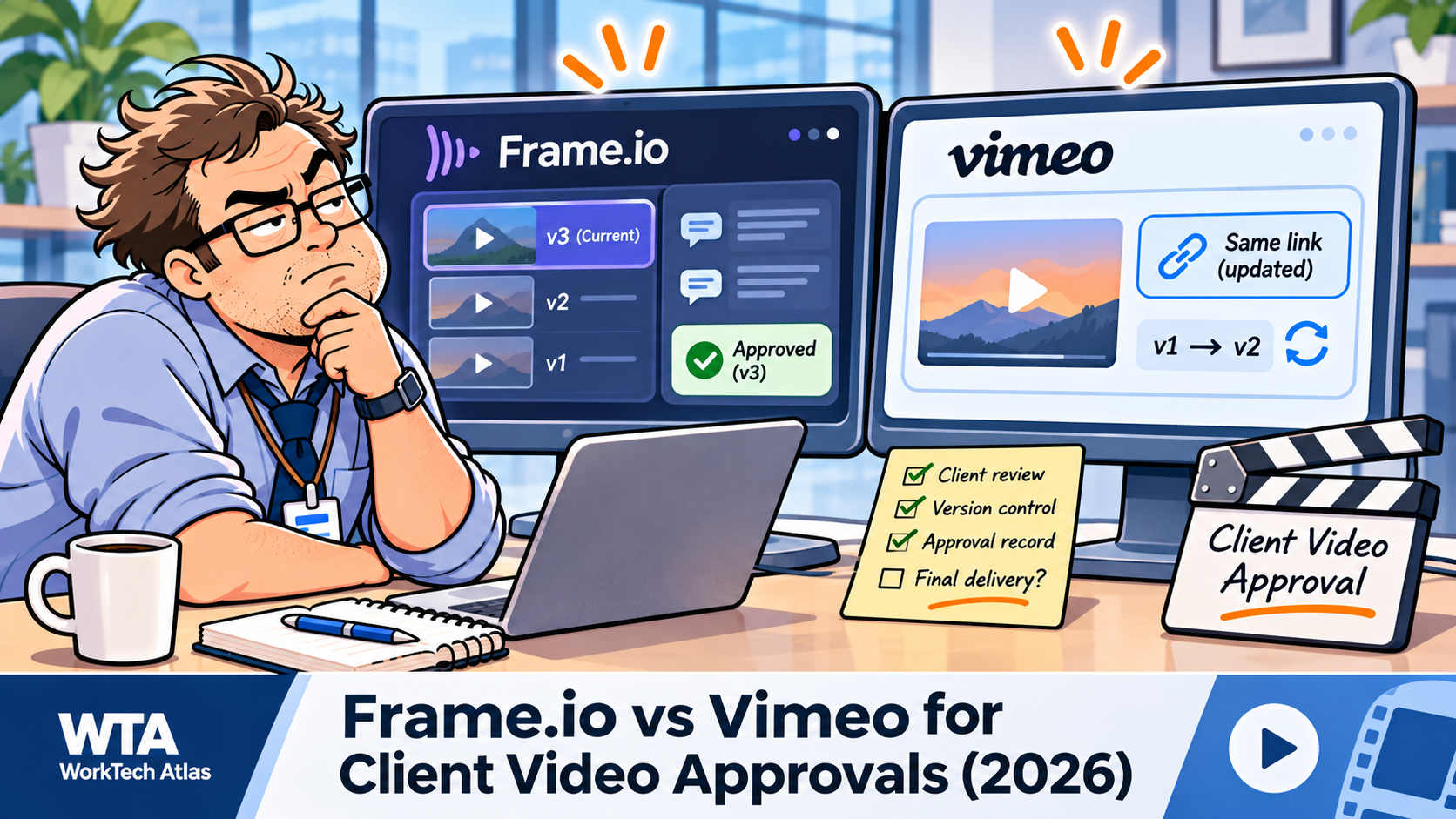
In Frame.io V4, a new cut can be uploaded and placed into a version stack. The player opens the newest version by default, and older cuts remain available from the version selector. Its share settings include a Show all versions control. That helps editors compare changes. But when the latest cut changes, a reviewer opening that stack later may see a different default version from the one they originally discussed. See Frame.io’s versioning guide.
Vimeo approaches the same work differently. Replacing a video through its version-management flow records a new version while keeping the video’s URL. The earlier cut and its comments remain available in version history. The link staying stable is a convenience for a production thread, not a guarantee that the current playback is the approved cut. Vimeo explains this in its video version-history documentation.
Imagine a client approves V3 at 2:17 p.m. and the editor uploads V4 at 2:25 p.m. Even if V4 changes only a caption, the approval record should not silently move with the link. Treat the new export as a new candidate for release. The reviewer may not care about the change, but your team still needs a clear, traceable decision.
Keep a small release log outside the review player: project, asset ID or file name, version, reviewer, decision, timestamp, approved scope, and archive location. The logic is similar to our Airtable client approval log: revision history explains edits; a decision record says who accepted what. Neither is automatically a legally binding signature.
External reviewers: access without buying every client a seat
For a small studio, the obvious question is whether ten client stakeholders create ten paid user charges. Not simply from reviewer count. Frame.io separates paid Members from external Reviewers, who see the assets shared by a link and do not need their own account. Vimeo review links likewise support guest feedback without a Vimeo login or team seat; the guest supplies a name and email before commenting.
The more useful question is what can the link holder do? Frame.io V4 allows a share owner to permit or block comments and downloads, choose version visibility, and, on eligible paid tiers, use passphrases or link expiry. A passphrase reduces casual access; it does not bind comments to a verified legal identity. The product documentation also distinguishes general public links from Secure sharing that limits access to specified people, an Enterprise feature. Do not describe an ordinary passworded public link as an identity-verified invitation.
Vimeo lets a sender manage commenting, download permission, approval-status changes, previous-version visibility, link passwords and expiry in its review flow. A review link can allow a client to mark a video Approved. These settings are separate from general video privacy: Vimeo notes that people with a review URL can access the review video regardless of the video’s ordinary privacy setting. Therefore, verify the link itself, not only the video’s public/private switch.
Two additional details deserve attention. Vimeo’s updated help text says Free accounts get one review link per video, with additional links and features on paid plans. Frame.io says external share reviewers are free, but the Free account still limits internal members, projects and storage. The marketing label “free review” does not mean the entire workflow is free at agency scale.
There is also an approval-language nuance. Vimeo explicitly documents a review-link toggle that lets recipients change the video status to Approved. Frame.io V4 supports editable featured fields in Shares when configured, such as a status field, but availability and setup depend on the field and share configuration. Neither should be called a tamper-proof signature system. If contractual sign-off is needed, compare a dedicated signing workflow such as those discussed in Fillout vs Jotform Sign.
The 2026 price question: don’t compare a freelancer plan with a business plan
Vimeo changed its plan structure in October 2026. This matters more to a purchasing decision than a tiny difference in comment tools. The familiar Starter, Standard and Advanced tiers are being phased out. New individual plans are Creator, Core and Professional; Vimeo introduced Studio for accounts identified as business use. The rollout is gradual, usually at renewal. An account that hasn’t received its transition notice should check its Billing screen rather than assume it has already switched.
| Published 2026 reference | Price | Critical qualification |
|---|---|---|
| Frame.io Pro | $15/member/month | Up to five paid members; share reviewers do not require paid seats |
| Frame.io Team | $25/member/month | Internal comments and restricted projects; up to fifteen members |
| Vimeo Core (individual) | $24.50/month on an annual commitment, or $40 monthly | 500 GB of managed storage for new Core subscriptions; not a default agency quote |
| Vimeo Professional (individual) | $71/month on an annual commitment, or $120 monthly | Individual-plan eligibility must be confirmed for the account |
| Vimeo Studio (business) | $400/month billed annually | Business-use plan, with 10 seats and 10 TB of managed storage |
Sources: Frame.io’s live pricing page and Vimeo’s 2026 plan-change explanation. Currency is USD before tax, and the rate labeled “annual commitment” is a monthly equivalent, not a cancellable month-to-month quote. Vimeo describes Professional as a plan for established individual professionals, including agency-related work, but separately says accounts identified for business use are ineligible for the new individual tiers. Not every freelancer is automatically a Studio customer, and not every agency account is entitled to Core. Verify your actual classification and quoted terms.
Vimeo’s newer Managed storage rules also affect client drafts. Non-public and embeddable videos count toward the allowance. Unlimited storage for public, non-embeddable videos is not unlimited private client-review storage. The storage guide explains the boundary. A team selecting Vimeo to review private campaigns should estimate storage using those private cuts rather than public portfolio uploads.
Here is a bounded planning example, not a vendor quote. A studio with three internal editors, twelve external reviewers and four simultaneous client projects could budget $45/month on Frame.io Pro at the posted per-member monthly rate, provided Pro’s controls and storage are sufficient; the external reviewers do not add twelve member charges. Frame.io Team would be $75/month for those same three members if internal-only comments or restricted projects matter. A Vimeo account classified by Vimeo for business use should investigate Studio’s $400/month annual-commitment rate instead of assuming it can purchase individual Core pricing. Classification should be confirmed with the account billing information or Vimeo support. The platforms’ storage, streaming, workflows and account classifications differ, so none of these figures is a feature-equivalent quote.
Run a six-scenario pilot before inviting a real client
The existence of a setting does not tell you whether your team will use it reliably. Pick one disposable sample video and ask two colleagues to play the roles of a producer and an external client. Confirm the behavior in the account and plan you actually intend to purchase.
- Open the link in a private browser window. Does the review require a login? Can the recipient see only the chosen clip or folder? Test without your editor’s existing session.
- Leave a time-coded comment and a reply. Note who receives notifications and whether an unrelated client can view another reviewer’s feedback.
- Upload a second cut. Find V1 afterward and check what a person using the original review URL sees. Confirm whether older versions are visible by default.
- Record an approval, then change the file. Can you prove which version the reviewer approved? If not, require a separate acknowledgment with a specific file identifier.
- Restrict and revoke the link. Test passwords, expiration, download controls, and whether a revoked URL really stops opening in a new browser.
- Finish the job. Export or archive the final approved copy, verify client delivery, and record which review links should expire or remain accessible under the agreement.
The final step is a different job from reviewing. A video can be accepted and still be delivered through the wrong share. Our Dropbox Transfer vs Google Drive guide explains fixed delivery versus continuing access. For a broader project closeout, the client offboarding checklist covers links, files and account permissions that can outlive the engagement.
Which one should you choose?
Choose Frame.io first when the center of the work is post-production review: editors compare successive cuts, annotate the exact frame, and control how client-facing links expose versions. It is especially worth evaluating when you need several internal collaborators but want outside reviewers to remain free. Check Pro versus Team permissions before promising private internal discussion.
Choose Vimeo Review first when feedback is tied to an existing video library and you also need hosted distribution or ongoing embedding. Its replace-video-and-keep-the-URL model is convenient, but the very stability of that link makes version-specific acceptance important. For commercial teams, confirm whether Vimeo’s 2026 individual or business-plan rules apply before relying on an apparent entry price.
Use neither as your only approval archive when a dispute could turn on what was authorized. Capture a final export with a version identifier and a corresponding decision record. If your contract requires formal execution, use a suitable electronic-signature process rather than treating a review-state badge as legal proof.
Research notes
Checked November 16, 2026. Primary references include the Frame.io pricing table, V4 Shares guide, V4 versioning guide, Vimeo Review documentation, Vimeo version-management guide and Vimeo’s 2026 plan transition. Vendor features and eligibility can change; confirm the checkout and account settings for your region. No product accounts or client videos were tested for this article, and no affiliate links are included.
WTA VERDICT
For a small creative team whose main job is iterative client review, Frame.io is the more focused starting shortlist. For creators or businesses that want review and video hosting together, Vimeo deserves a look, but its new account classification and managed-storage rules belong near the top of the buying checklist. Whichever you choose, sign off on an identifiable version, not on a URL that may point to something new tomorrow.
3-Line Takeaway
- Review access: both accept external guest feedback; test link permissions instead of assuming they behave alike.
- Version control: Frame.io stacks cuts; Vimeo can replace a video under the same link. Neither freezes approval automatically.
- Budget: count Frame.io members and verify Vimeo’s 2026 individual-versus-business plan classification before comparing prices.

Leave a Reply