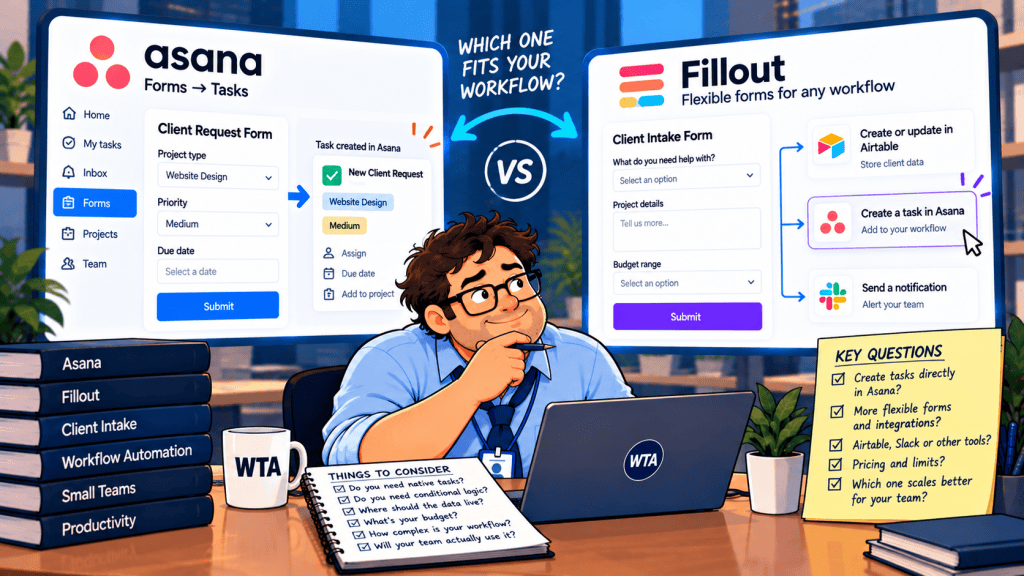
A client asks your design agency to change a campaign deadline. They fill out a form, attach a revised brief, and expect a reply. Your team works in Asana. Should that form create an Asana task immediately, or should the request pass through a separate intake system first?
That is the useful question behind Asana Forms vs Fillout for client requests. Asana starts inside the project where work will be managed. Fillout starts with a flexible form; you choose where its responses go. Neither choice, by itself, tells your team whether the client’s request has been approved.
Short answer: If the team already pays for Asana Starter and each valid submission should become a task, begin with Asana Forms. Consider Fillout when you need conditional questions on a modest budget, one intake experience for several destinations, or a separate review step before an Asana task exists. If clients need ongoing access to their records, evaluate a portal rather than treating a form as one.
Asana Forms vs Fillout: the decision in one table
| Decision point | Asana Forms | Fillout |
|---|---|---|
| What a submission becomes | A new task in its Asana project | A form response; onward routing depends on integrations or workflows |
| Where it fits best | Teams already running delivery in Asana | Agencies collecting varied requests across systems |
| Conditional questions | Branching on Advanced and higher | Conditional logic listed on the Free plan |
| External submissions | Shareable link for people without Asana accounts | Shareable form; login forms from Starter |
| Client attachments | Attachment question adds files to the task | File uploads supported; destination depends on setup |
| Approvals | Asana Advanced has approval features; form submission is not approval | Fillout Workflows can route approval requests; plan and workflow need checking |
| Path to Asana tasks | Native: form creates the task | Additional connection such as Zapier may be required |
This comparison follows the vendors’ published product documentation and pricing, checked October 20, 2026. It is not based on hands-on testing. Start with Asana’s Forms guide, Fillout’s current plan matrix, and Fillout’s integrations directory if a feature is critical to your purchase.
The difference: native Asana tasks or a separate intake queue
Asana Forms: the request is already work
Asana documents a direct link between a form and a project: each submission creates a task in the project containing that form. You can collect a title, requester details, supporting files and fields the reviewer needs. There is no separate form-to-task connector to maintain.
That is attractive for a creative team whose delivery board already contains sections such as New requests, Needs clarification, Approved and In progress. The form should land in New requests. A task appearing in the project means someone asked for work; it does not mean the team accepted the deadline, budget or scope.
The plan boundary matters. Asana Starter includes forms, but branching, multiple forms per project, custom confirmation messages and the default-assignee setting are documented for Advanced and higher. An agency on Starter can still build a useful flat intake form. It should not budget for a branching questionnaire at Starter pricing.
Fillout: the request can be reviewed before it becomes work
Fillout’s published feature list includes conditional logic, multi-page forms, file uploads and workflows on its Free tier. It can be a more flexible front door when a website collects design changes, billing questions and new project inquiries but those submissions should not all become the same kind of task.
However, the public native integrations directory does not currently list Asana. Fillout lists Zapier integration, and Zapier offers an Asana–Fillout connection. That provides a documented route to explore for an Asana handoff, but it adds another configuration to own, monitor and potentially pay for. Confirm the exact trigger and action you need in your automation account before treating it as a one-click native sync.
Fillout also describes approval workflows for reviewing submissions. Those controls are useful for the intake decision. They do not automatically replace your Asana project’s own status, permissions or approval policy. A clear design is: collect, review, then create or promote the task once the request is accepted.
External clients: a form link is not a client workspace
Asana says forms are organization-only by default, with options for Anyone can access, Organization only or Deactivated. An external client can submit through an appropriately shared link without joining Asana. If the form includes an email question and the client completes it, Asana can send a confirmation email. It also documents email-based request communication for non-Asana users.
That does not give a client unrestricted access to the internal task. Decide separately whether the client should see a task, get status emails or use a portal. A publicly accessible form should ask only for information you are prepared to receive through that channel; do not place confidential internal project data in the form itself.
Fillout’s Starter plan lists login forms. Authentication can be useful when repeat clients need a more controlled entry point, but the presence of a login screen does not prove that the resulting Asana task is visible only to the right client. If your real requirement is a dashboard where each customer can return to view and edit their own records, our Fillout vs Softr client-intake comparison explains why a portal is a different product decision.
One wording choice can prevent a client dispute: a request confirmation says “we received it.” An acceptance notice says “we agreed to do it.” Do not send the second message automatically merely because a form was submitted.
What a five-person agency would pay in 2026
These are published US-dollar list prices, not a quotation. Monthly equivalents below assume annual billing; taxes, discounts, minimum billing quantities and third-party automation fees may change the final invoice.
| Setup | Published price basis | Illustrative cost |
|---|---|---|
| Five Asana Starter seats | $10.99 per user/month, billed annually | $54.95/month equivalent |
| Five Asana Advanced seats | $24.99 per user/month, billed annually | $124.95/month equivalent |
| Fillout Free | 1,000 responses/month; unlimited seats | $0 for the form builder |
| Fillout Starter | $15/month, billed annually; 2,000 responses/month | $15/month equivalent, plus any Asana and automation costs |
Do not compare $15 with $54.95 as if both prices bought the same thing. Asana’s figure pays for a project-management workspace used by five staff members. Fillout’s figure pays for the form layer. If the team already has Asana Starter, the incremental cost of using its included Forms feature may be zero. A Fillout-to-Asana workflow may still need those Asana seats plus an automation subscription.
The more relevant question is whether a better client-facing form reduces enough manual clarification to justify the extra tool and integration upkeep. At 30 requests a month, an additional form subscription might not be worth it. At 500 varied requests routed to several systems, it could be. Those are planning scenarios, not measured savings.
A safer client-request workflow: three decisions, one owner
Picture a five-person studio handling website edits, new briefs and changes to existing projects. The intake fields are simple: requester, client, request type, affected project, desired date, impact, attachments and a contact email. What matters is what the team does with them.
- Receive: A new form submission enters a New requests queue. Give it a stable request reference and retain the original client message.
- Review: One named owner checks whether the request is new, a correction to an existing task, or a duplicate. Confirm missing details and assess scope.
- Accept or decline: Only after review should a team member assign delivery work, commit to a deadline or send an acceptance message.
With Asana Forms, the queue can simply be the project section where new tasks land. The reviewer can keep the intake task separate from a delivery task if your process requires a formal handoff. With Fillout, the response can wait in a review workflow before a connected automation creates an Asana task. In either setup, a new submission should not silently overwrite an existing project or be treated as a verified request to edit an existing task.
If requests begin in chat rather than a web form, see our Slack Lists vs Asana guide for the related decision about when a message becomes committed work. For higher-risk commitments, our human-approval framework explains why the gate should sit before an external promise, not after it.
Six checks before you give clients the link
The following is a proposed acceptance checklist, not a claim that either product passed these tests in our environment. Run it with test data before collecting real client information.
| Test | What a safe result looks like |
|---|---|
| Open the form from a signed-out browser | Only intended questions and upload controls are exposed; access setting matches your audience. |
| Choose two different request types | Conditional questions behave as expected on the plan you actually own; no hidden required-field trap. |
| Submit the same request twice | Reviewer can spot the duplicate; the workflow does not create two accepted delivery commitments. |
| Submit a change to an existing project | The existing project is identified by a stable reference, not just a similar client name. |
| Disconnect the automation account | The team can detect a failed handoff and recover the original response without guessing. |
| Reject a request | Client receives a deliberate response; no approval message or delivery task is sent accidentally. |
One subtle risk deserves its own check: do not equate a repeat form submission with a request to update an existing record. Our Tally vs Fillout for Airtable intake explores that create-versus-edit distinction in a database setting. The same logic applies to Asana: a client correction should not automatically become a second active task.
Also decide who can read attachments, how long they are retained, and whether the request involves personal or contract-sensitive data. A public intake form is a collection mechanism, not a substitute for a confidentiality policy.
Which should you choose?
Choose Asana Forms when the project team already works in Asana, submissions are meant to become triage tasks, and a straightforward questionnaire is enough. Starter is a sensible starting point; price Advanced only if its branching or other higher-tier features are actually needed.
Choose Fillout when the form experience needs more flexible conditional paths on a low-cost plan, or one response must be reviewed and distributed to multiple systems. Budget the integration to Asana as a separate moving part. Do not buy Fillout merely because it has a longer feature list.
If clients must repeatedly check status, update their own information or view private deliverables, neither a one-time Asana form nor a generic Fillout link is the whole answer. That is a portal and permission-design problem. Choose the system of record first, then design the form around it.
WTA VERDICT
For an Asana-first agency, start with Asana Forms. The native task is the advantage, not the questionnaire. Fillout becomes the better fit when the intake experience and review path matter more than immediate task creation. Whichever you choose, keep “request received” separate from “work approved.”
3-Line Takeaway
- Asana Forms: best first stop when every legitimate request should enter an existing Asana project.
- Fillout: stronger front-end flexibility, but an Asana handoff adds integration ownership.
- Both: review duplicates, permissions and scope before making a client commitment.

Leave a Reply